一个合格的中级前端工程师需要掌握的 28 个 JavaScript 技巧
原文发布于 2019 年,很多示例以图片形式保存,部分实现是面试中的教学简版。本文保留原来的 28 个主题,并补回可运行的文字代码;手写实现用于理解思路,不等价于标准内置方法或生产级库。原文配图已下载到同目录
images文件夹,图片中的旧代码仅作历史参考。
原文代码对应的详细注释曾放在作者 GitHub 中。本文优先使用标准 API,并在需要时说明浏览器、Node.js 和现代 JavaScript 的运行边界。
1. 判断对象的数据类型
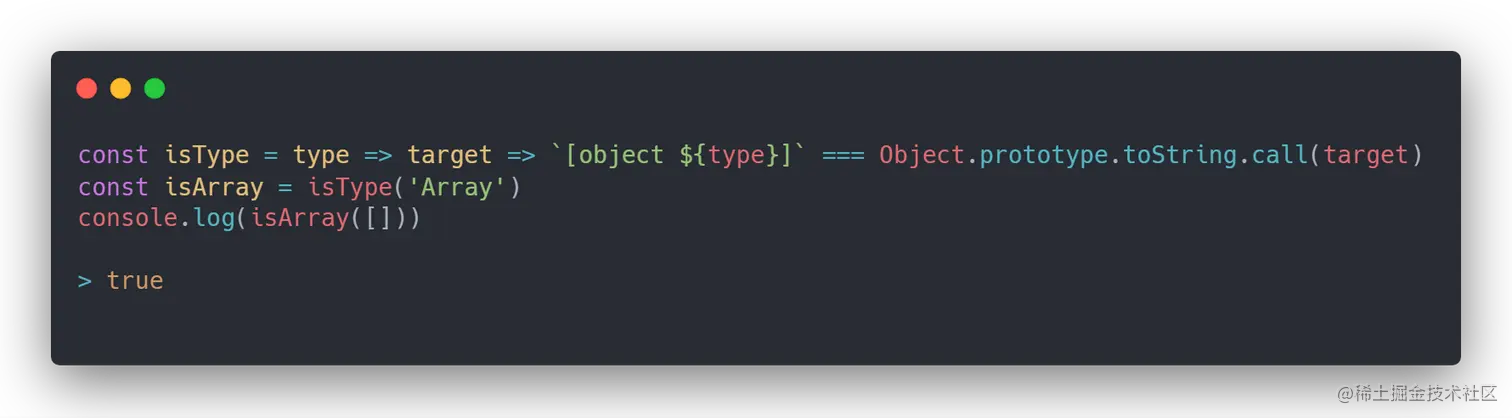
使用 Object.prototype.toString 可以得到比 typeof 更细的标签:
const getType = value => Object.prototype.toString.call(value).slice(8, -1)

const isType = type => value => getType(value) === type

const isArray = isType('Array')
console.log(isArray([])) // true
console.log(getType(new Date())) // Date
console.log(getType(null)) // Null
这里的 type 首字母需要和标签一致。这个方法也有边界:Symbol.toStringTag 可以影响标签,Proxy 和跨 realm 对象也可能改变观察结果。数组优先使用 Array.isArray(value);判断 primitive 通常使用 typeof value 并单独处理 null。
原文提醒“基本类型可能被装箱”仍有参考价值,但更准确地说,Object.prototype.toString.call(value) 会根据规范执行对象化等步骤,不能把它当成绝对不可伪造的品牌检查。
2. 循环实现数组 map
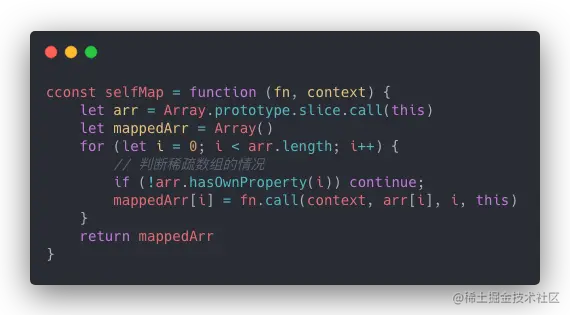
map 会先读取长度,在结果中保留稀疏数组的空槽,并把 thisArg 作为普通回调的 this;箭头函数的 this 仍由词法作用域决定。
function mapLike(arrayLike, callback, thisArg) {
  if (arrayLike == null) throw new TypeError('arrayLike is null or undefined')
  if (typeof callback !== 'function') throw new TypeError('callback must be a function')

  const source = Object(arrayLike)
  const length = Number.isSafeInteger(Number(source.length))
    ? Math.max(0, Number(source.length))
    : 0
  const result = new Array(length)

  for (let index = 0; index < length; index += 1) {
    // 原生 map 使用 HasProperty 语义,继承来的索引也可能被访问
    if (index in source) {
      result[index] = callback.call(thisArg, source[index], index, source)
    }
  }

  return result
}

console.log(mapLike([1, 2, 3], value => value * 2)) // [2, 4, 6]
console.log(mapLike([1, , 3], value => value * 2)) // [2, empty, 6]
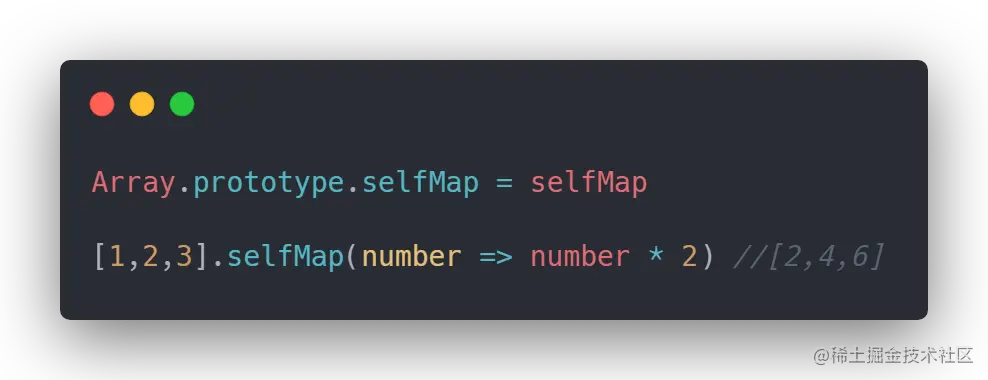
不要为了展示“手写原理”而直接给 Array.prototype 打补丁;这样会污染全局,还可能与未来标准方法冲突。实际开发直接使用 Array.prototype.map。
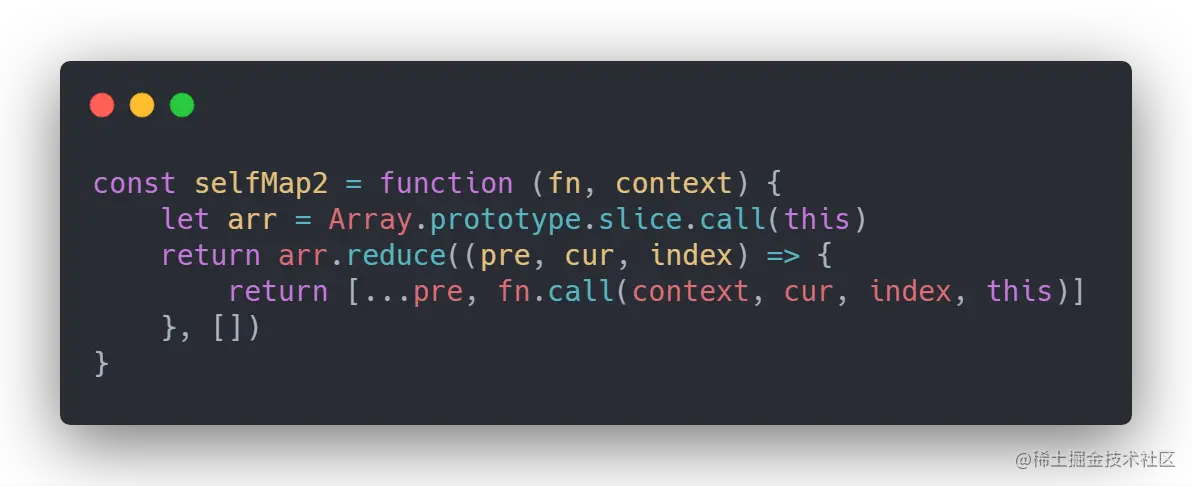
3. 使用 reduce 实现数组 map
reduce 版适合展示组合思路,但仍需考虑稀疏数组和结果长度:
function mapByReduce(array, callback, thisArg) {
  if (typeof callback !== 'function') throw new TypeError('callback must be a function')

  return array.reduce((result, value, index, source) => {
    result[index] = callback.call(thisArg, value, index, source)
    return result
  }, new Array(array.length))
}

console.log(mapByReduce([1, 2, 3], value => value + 1)) // [2, 3, 4]
这仍是教学实现,原生 map 的 Symbol.species、代理对象、继承属性等完整语义不应靠几行面试代码模拟。
4. 循环实现数组 filter
function filterLike(arrayLike, predicate, thisArg) {
  if (arrayLike == null) throw new TypeError('arrayLike is null or undefined')
  if (typeof predicate !== 'function') throw new TypeError('predicate must be a function')

  const source = Object(arrayLike)
  const length = Math.max(0, Number(source.length) || 0)
  const result = []

  for (let index = 0; index < length; index += 1) {
    if (index in source && predicate.call(thisArg, source[index], index, source)) {
      result.push(source[index])
    }
  }

  return result
}

console.log(filterLike([1, 2, 3, 4], value => value % 2 === 0)) // [2, 4]
filter 不会把未命中的空槽补成 undefined,结果是一个新的、连续的数组。
5. 使用 reduce 实现数组 filter
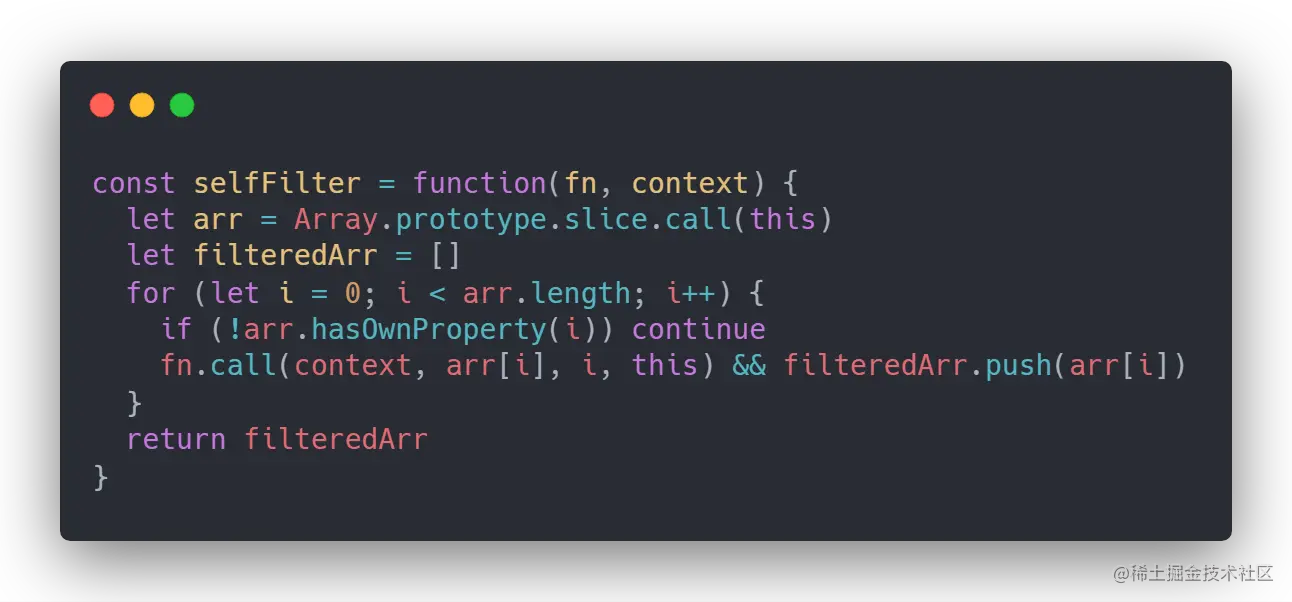
function filterByReduce(array, predicate, thisArg) {
  return array.reduce((result, value, index, source) => {
    if (predicate.call(thisArg, value, index, source)) {
      result.push(value)
    }
    return result
  }, [])
}

console.log(filterByReduce([1, 2, 3], value => value > 1)) // [2, 3]
6. 循环实现数组的 some
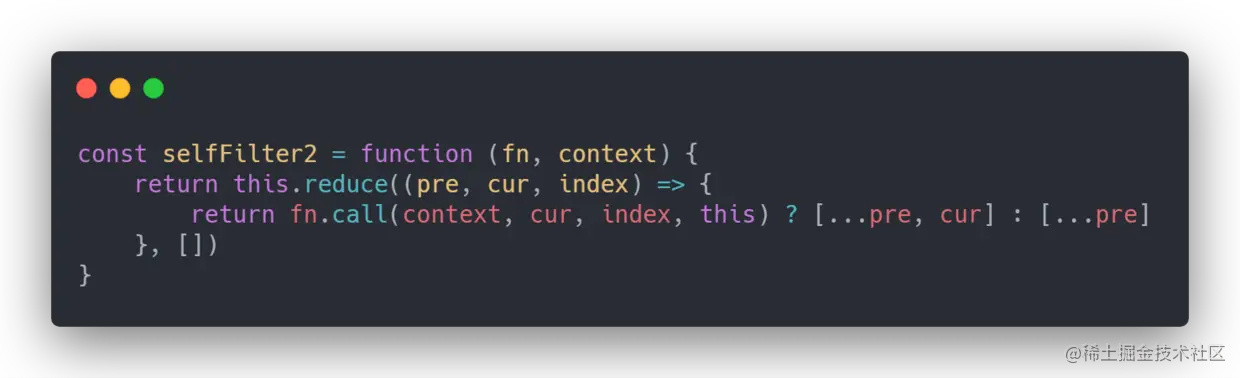
function someLike(arrayLike, predicate, thisArg) {
  if (arrayLike == null) throw new TypeError('arrayLike is null or undefined')
  if (typeof predicate !== 'function') throw new TypeError('predicate must be a function')

  const source = Object(arrayLike)
  const length = Math.max(0, Number(source.length) || 0)

  for (let index = 0; index < length; index += 1) {
    if (index in source && predicate.call(thisArg, source[index], index, source)) {
      return true
    }
  }

  return false
}

console.log(someLike([1, 2, 3], value => value > 2)) // true
console.log([].some(value => value)) // false
空数组调用 some 始终返回 false;对应地,空数组调用 every 始终返回 true。这是两种方法的数学量词语义,不是异常情况。
7. 循环实现数组的 reduce
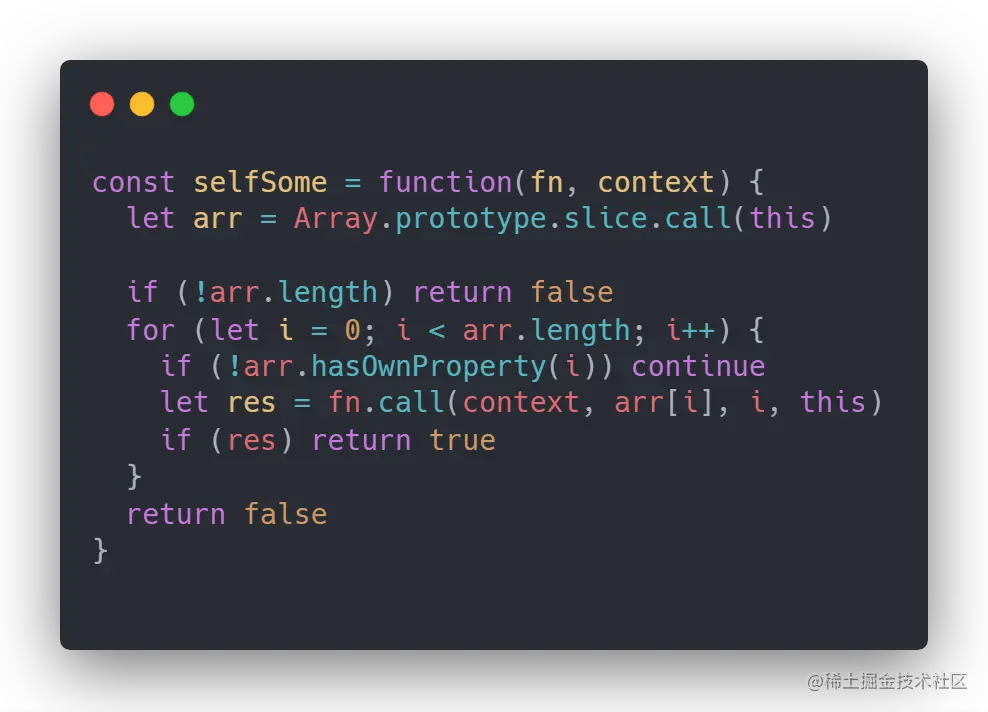
手写 reduce 时,最容易漏掉的是“是否真的传入初始值”、空数组错误和稀疏数组空槽:
function reduceLike(arrayLike, callback, initialValue) {
  if (arrayLike == null) throw new TypeError('arrayLike is null or undefined')
  if (typeof callback !== 'function') throw new TypeError('callback must be a function')

  const source = Object(arrayLike)
  const length = Math.max(0, Number(source.length) || 0)
  let index = 0
  let accumulator

  if (arguments.length >= 3) {
    accumulator = initialValue
  } else {
    while (index < length && !(index in source)) index += 1
    if (index >= length) throw new TypeError('Reduce of empty array with no initial value')
    accumulator = source[index]
    index += 1
  }

  for (; index < length; index += 1) {
    if (index in source) {
      accumulator = callback(accumulator, source[index], index, source)
    }
  }

  return accumulator
}

console.log(reduceLike([1, 2, 3], (sum, value) => sum + value, 0)) // 6
console.log(reduceLike([, 2, , 4], (sum, value) => sum + value, 0)) // 6
8. 使用 reduce 实现数组的 flat
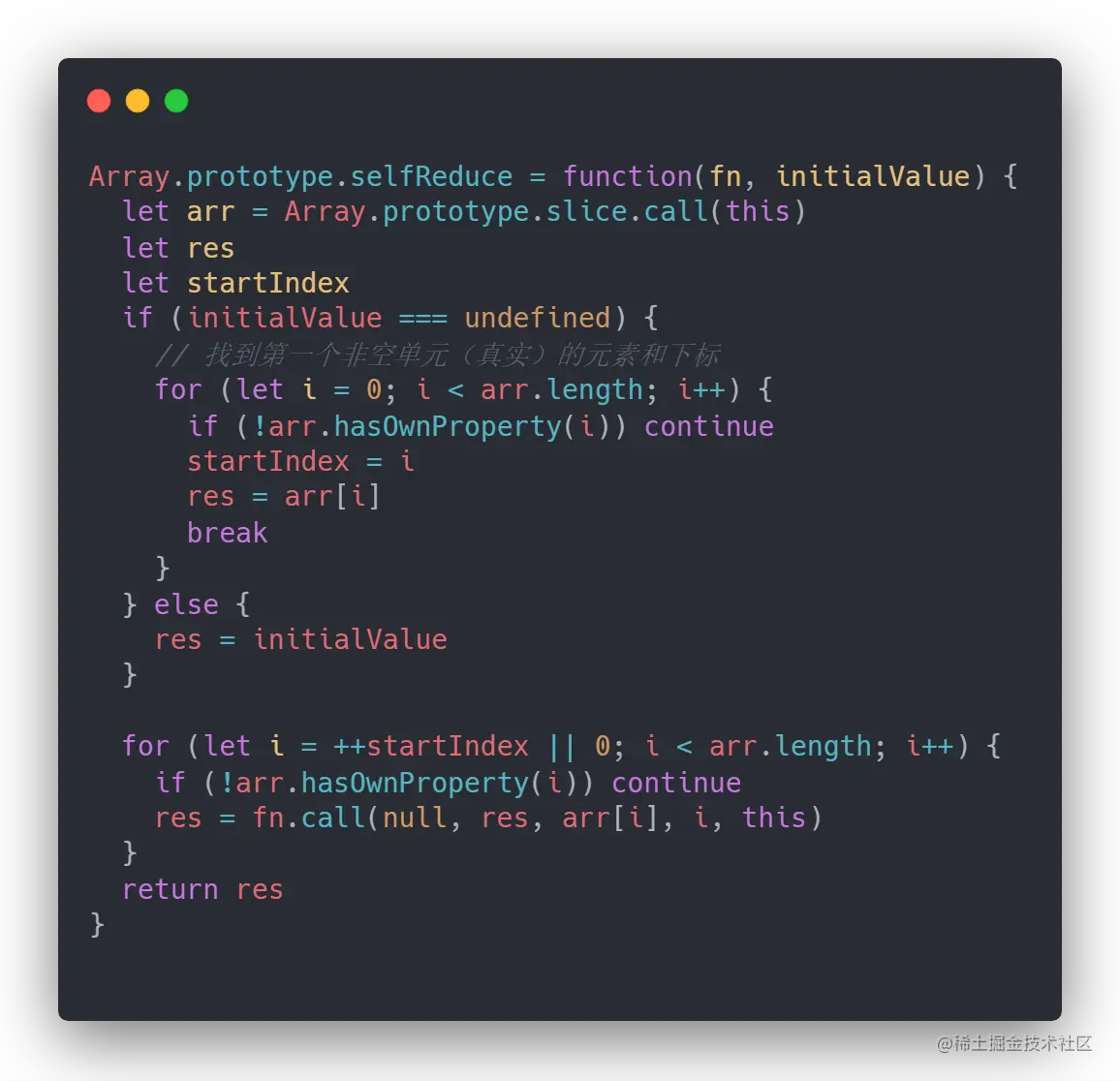
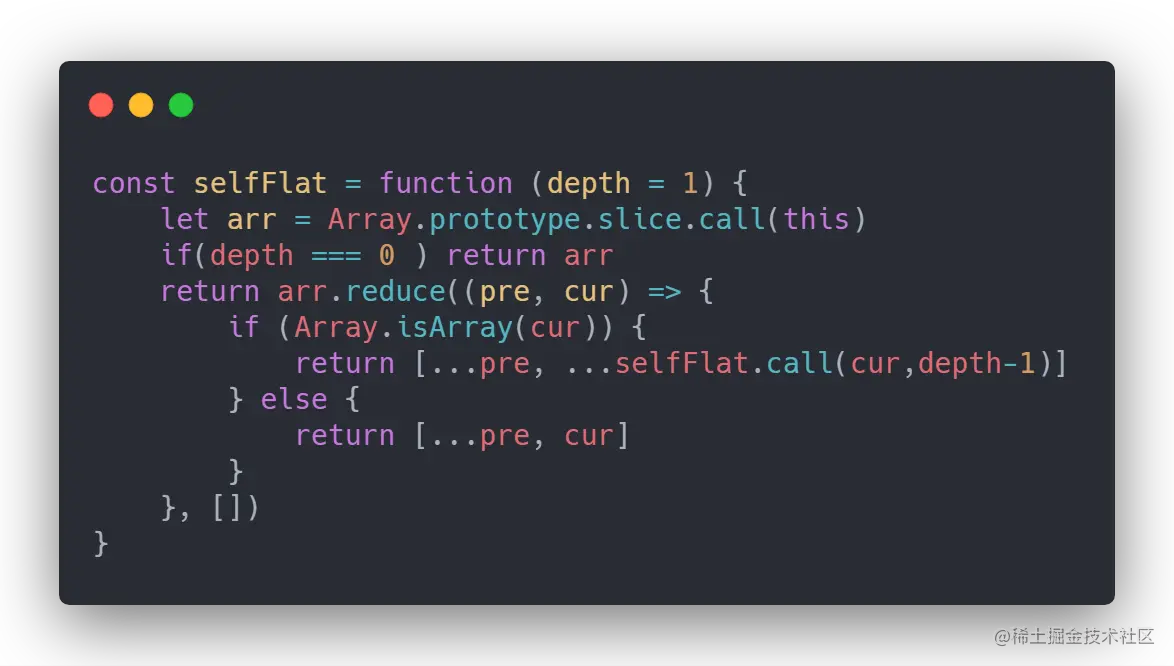
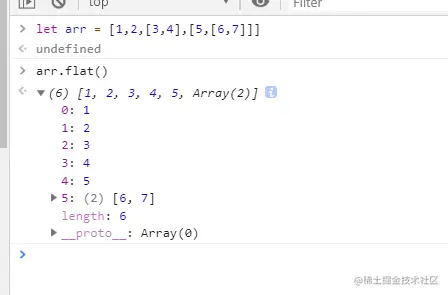
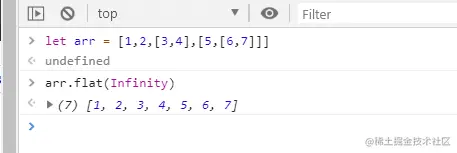
原文把 depth 拼成了 Inifity,正确写法是 Infinity。原生 flat(depth) 默认只展开一层,并且会跳过被展开层的空槽:
function flatLike(array, depth = 1) {
  if (!Array.isArray(array)) throw new TypeError('array must be an array')
  if (depth < 1) return array.slice()

  return array.reduce((result, value, index) => {
    if (!(index in array)) return result
    if (Array.isArray(value)) {
      result.push(...flatLike(value, depth - 1))
    } else {
      result.push(value)
    }
    return result
  }, [])
}

const nested = [1, [2, [3, [4]]]]
console.log(nested.flat()) // [1, 2, [3, [4]]]
console.log(flatLike(nested, 2)) // [1, 2, 3, [4]]
console.log(flatLike(nested, Infinity)) // [1, 2, 3, 4]
手写版本没有完整实现 Symbol.isConcatSpreadable、数组子类、代理和所有稀疏数组细节;生产代码优先使用原生 flat。
9. 理解 ES2015 class
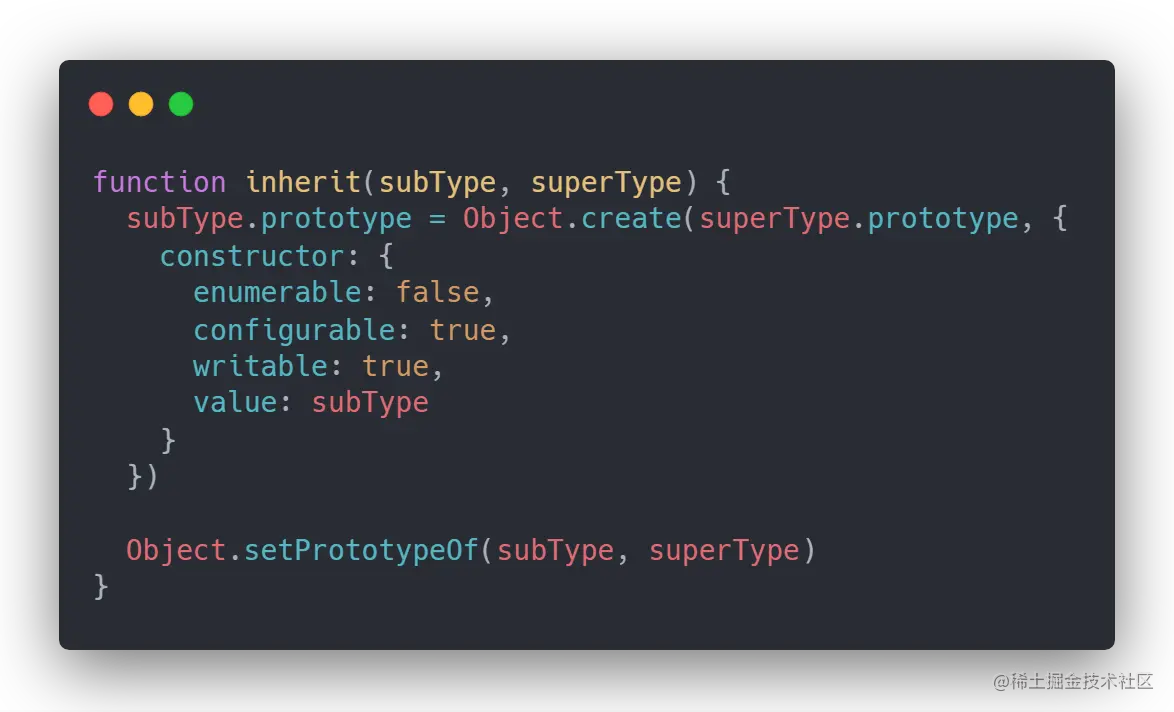
原文称 ES6 class 是“寄生组合式继承、目前最理想的继承方式”,这属于历史观点。更准确地说,class 提供了构造器、实例方法、静态成员和 extends 的语法;实例方法仍然位于原型上,class 不是完全独立于原型的对象模型。
class Animal {
  constructor(name) {
    this.name = name
  }

  speak() {
    return `${this.name} makes a sound`
  }

  static category() {
    return 'animal'
  }
}

class Dog extends Animal {
  speak() {
    return `${this.name} barks`
  }
}

const dog = new Dog('Lucky')
console.log(dog.speak()) // Lucky barks
console.log(Object.getPrototypeOf(Dog.prototype) === Animal.prototype) // true
console.log(Object.getPrototypeOf(Dog) === Animal) // true,静态继承
console.log(Dog.category()) // animal
传统寄生组合继承可以作为历史代码阅读,但 class 构造器不能用普通 call/apply 代替,私有字段、super、派生构造器等也不能由几行 Object.create 完整模拟。普通业务优先使用 class、组合或模块化工厂。
10. 函数柯里化
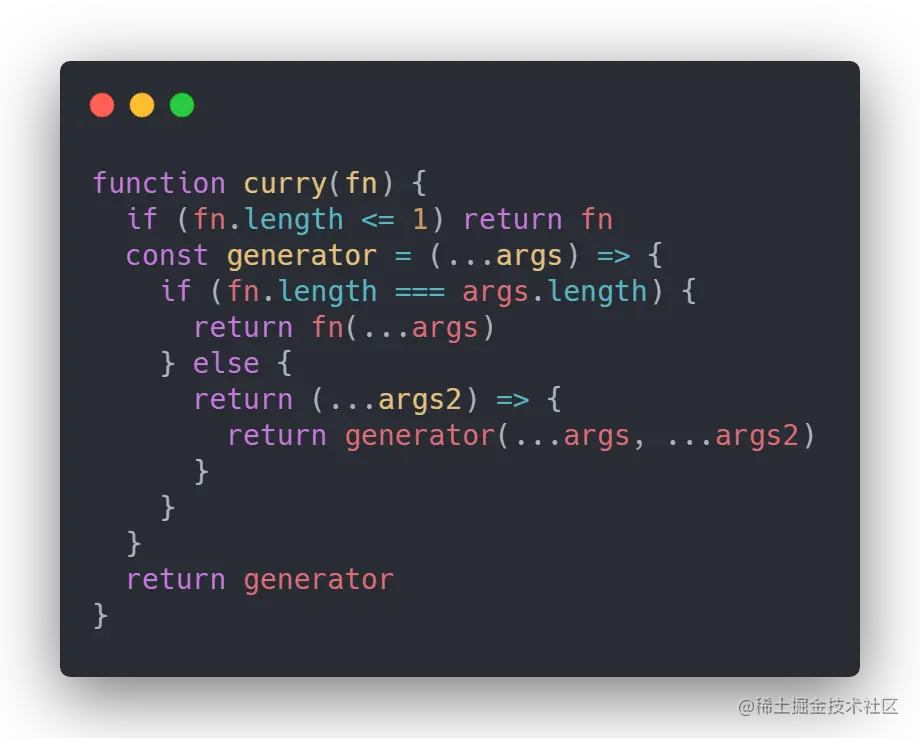
柯里化是把一个多参数函数转换为按阶段接收参数的函数。下面这个版本依据 fn.length 判断参数数量,因此不适合默认参数、rest 参数或占位符复杂场景:
function curry(fn, collected = []) {
  return (...args) => {
    const allArgs = [...collected, ...args]
    if (allArgs.length >= fn.length) return fn(...allArgs)
    return curry(fn, allArgs)
  }
}

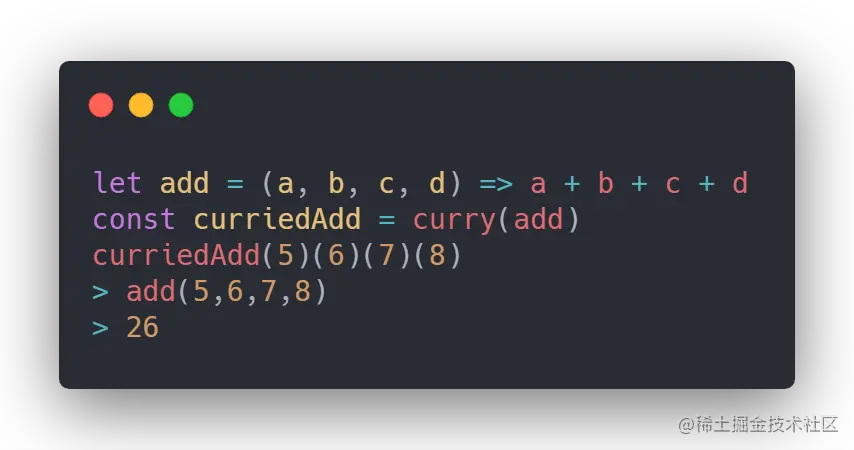
const add = curry((a, b, c) => a + b + c)
console.log(add(1)(2)(3)) // 6
console.log(add(1, 2)(3)) // 6
柯里化适合组合“每一步只接收一个输入”的函数,但不要为了函数式形式强行拆分所有 API。
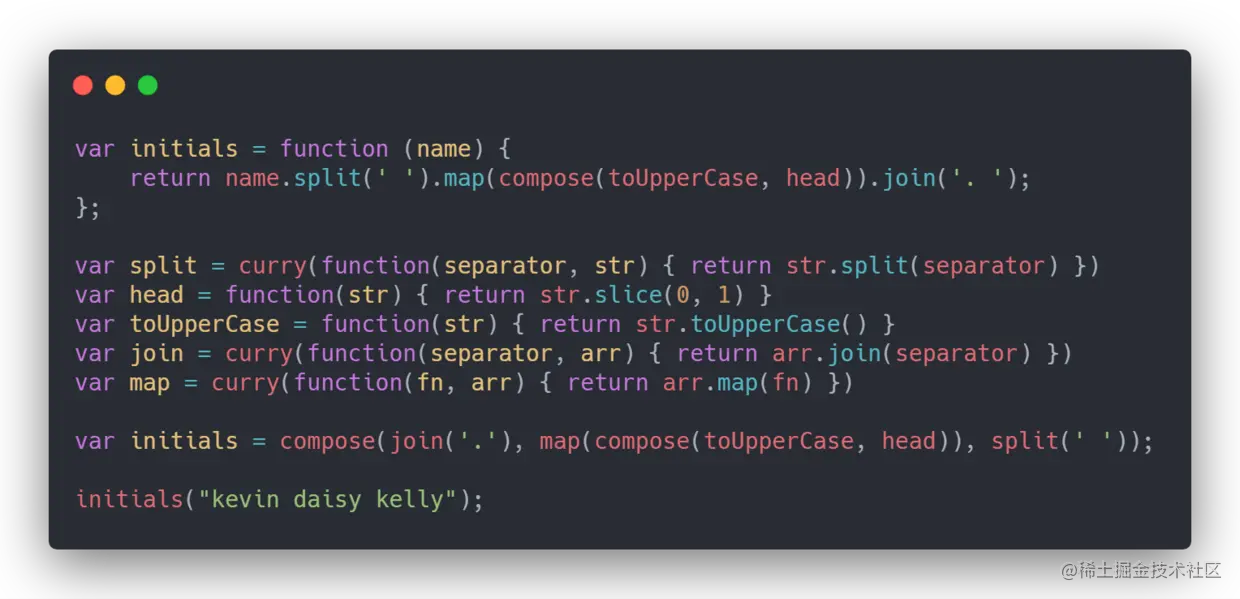
原文引用的函数组合文章属于历史资料;现代 JavaScript 也可以直接使用闭包、pipe 或库函数表达组合。
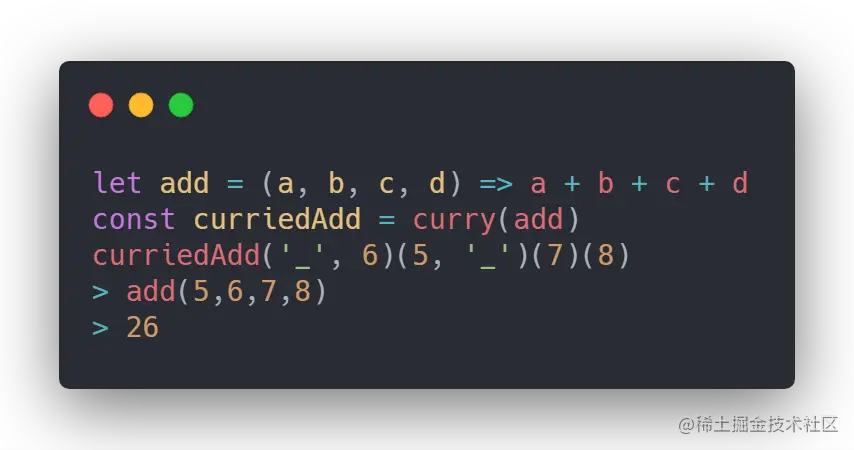
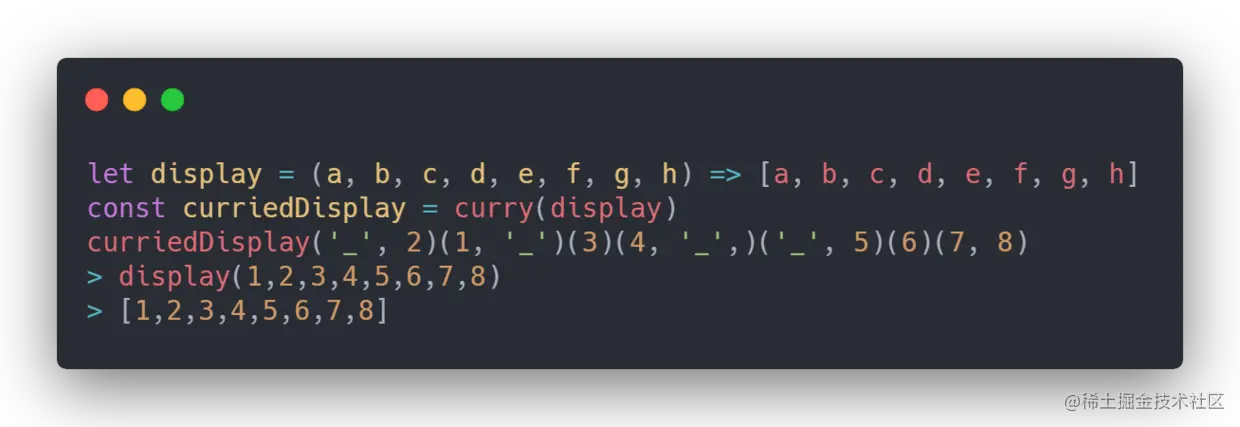
11. 支持占位符的函数柯里化
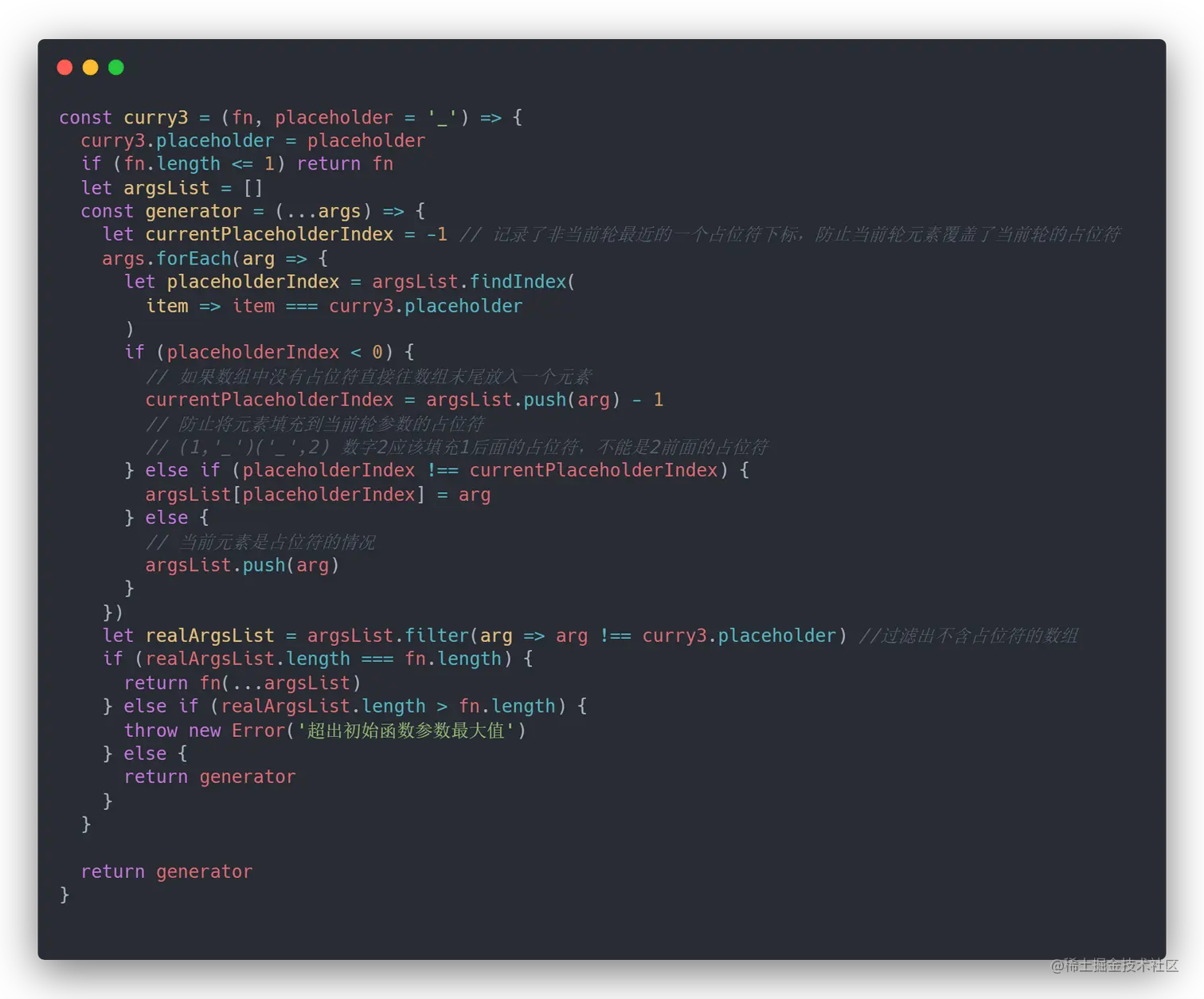
占位符需要先填充之前保存的空位,再把多余参数追加到末尾。下面的实现使用一个 Symbol 作为占位符:
const __ = Symbol('curry placeholder')

function curryWithPlaceholder(fn, received = []) {
  return (...incoming) => {
    const merged = received.slice()
    let incomingIndex = 0

    for (let index = 0; index < merged.length && incomingIndex < incoming.length; index += 1) {
      if (merged[index] === __) {
        merged[index] = incoming[incomingIndex]
        incomingIndex += 1
      }
    }

    merged.push(...incoming.slice(incomingIndex))

    const ready = merged.length >= fn.length && !merged.slice(0, fn.length).includes(__)
    return ready ? fn(...merged) : curryWithPlaceholder(fn, merged)
  }
}

const subtract = curryWithPlaceholder((a, b, c) => a - b - c)
console.log(subtract(__, 10)(20, 5)) // 5
console.log(subtract(20, __)(10, 5)) // 5
真实库还会定义多个占位符、额外参数、this 和构造调用的规则。实现前应先明确契约。
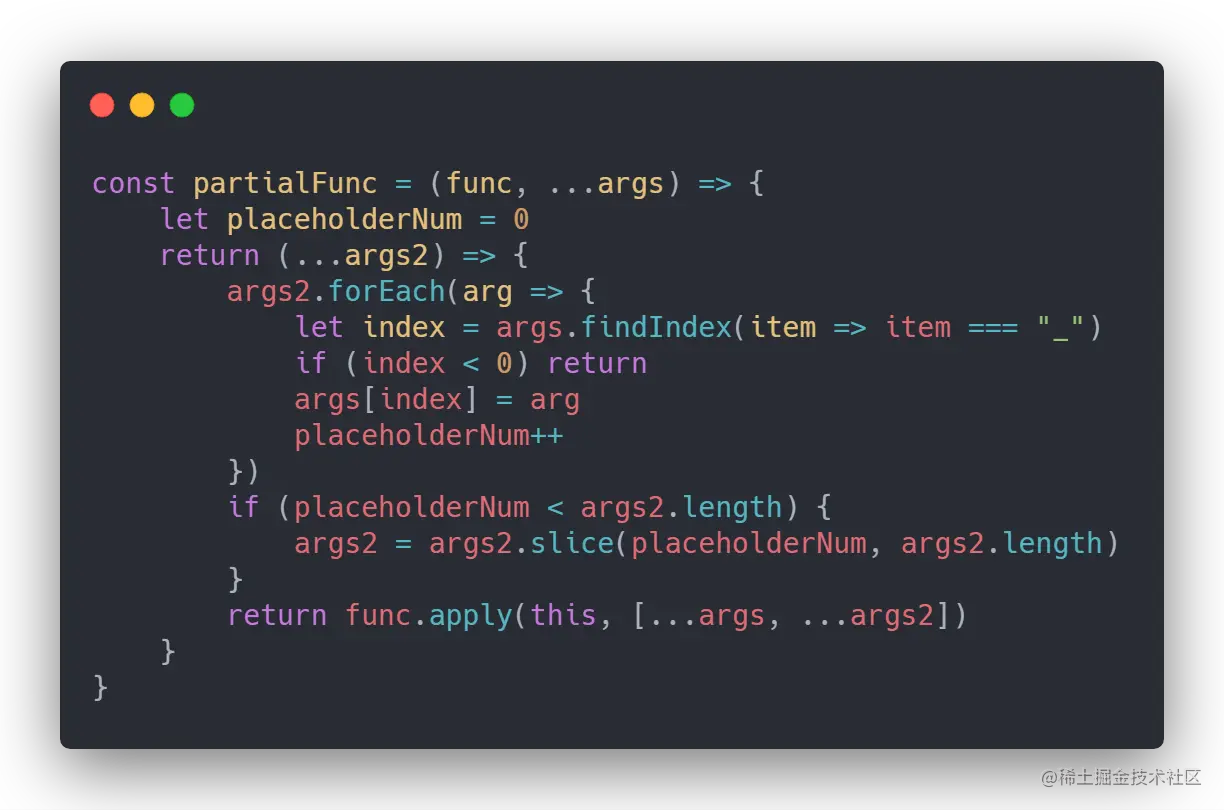
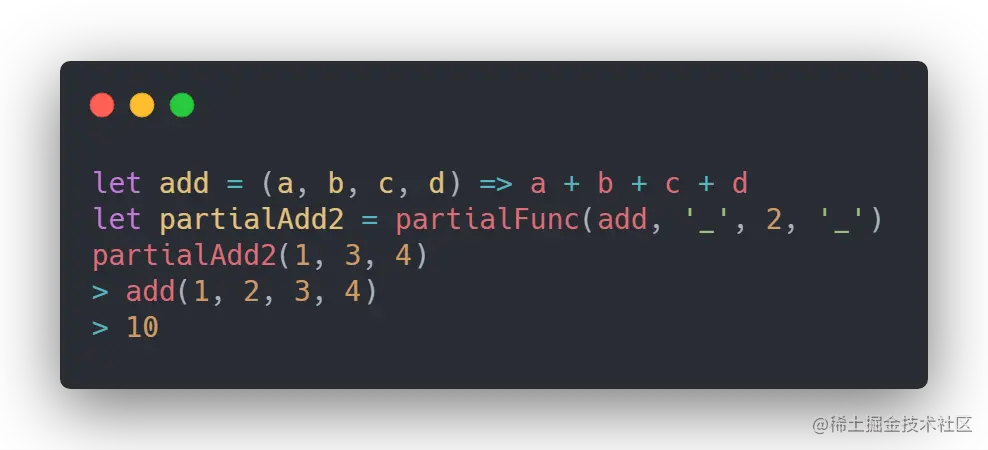
12. 偏函数
偏函数固定一部分参数,返回一个等待剩余参数的函数;它不要求像柯里化那样每次只传一个参数,也不一定要等到原函数的 length 满足才调用。
function partial(fn, ...preset) {
  return (...later) => fn(...preset, ...later)
}

const format = partial((prefix, value, suffix) => `${prefix}${value}${suffix}`, '¥')
console.log(format(100, ' 元')) // ¥100 元
Function.prototype.bind 也有预置 this 和参数的效果,但原生 bind 还具有作为构造器使用、length、name 等标准语义,不能用普通闭包完全替代。
13. 斐波那契数列及其优化
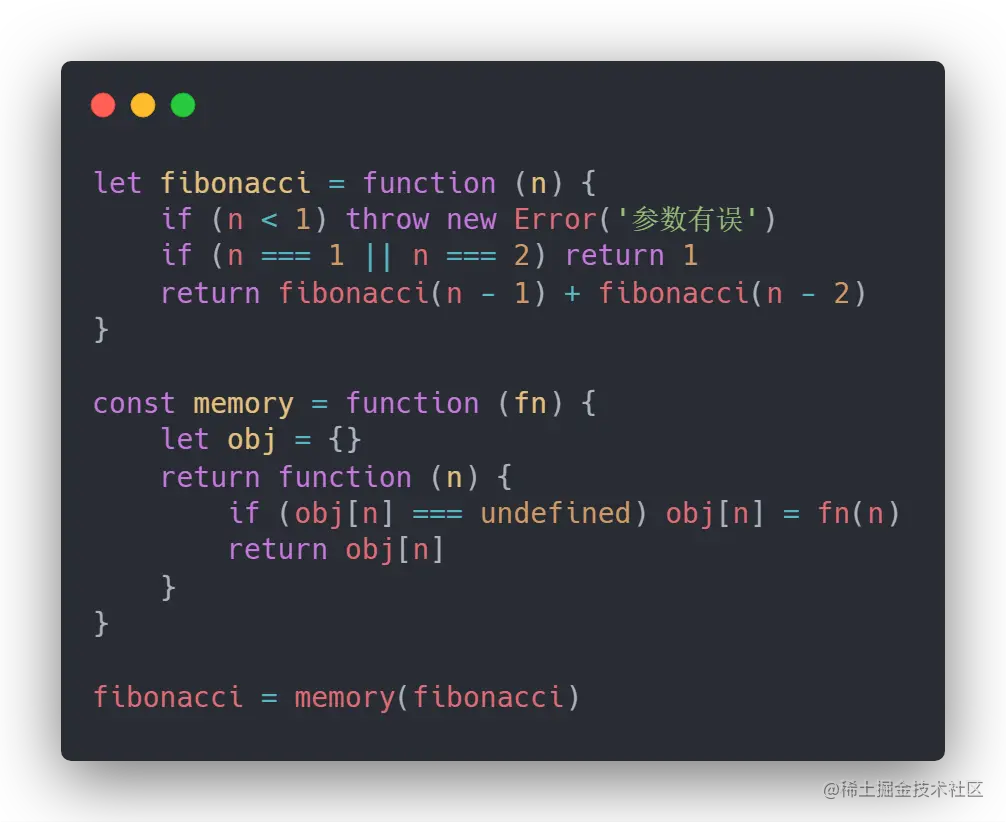
函数记忆会保存已经计算过的结果,适合纯函数和重复输入;缓存本身也会占用内存,不能无界增长:
function fibonacci(n, memo = new Map([[0, 0], [1, 1]])) {
  if (!Number.isInteger(n) || n < 0) throw new RangeError('n must be a non-negative integer')
  if (memo.has(n)) return memo.get(n)

  const value = fibonacci(n - 1, memo) + fibonacci(n - 2, memo)
  memo.set(n, value)
  return value
}

console.log(fibonacci(10)) // 55
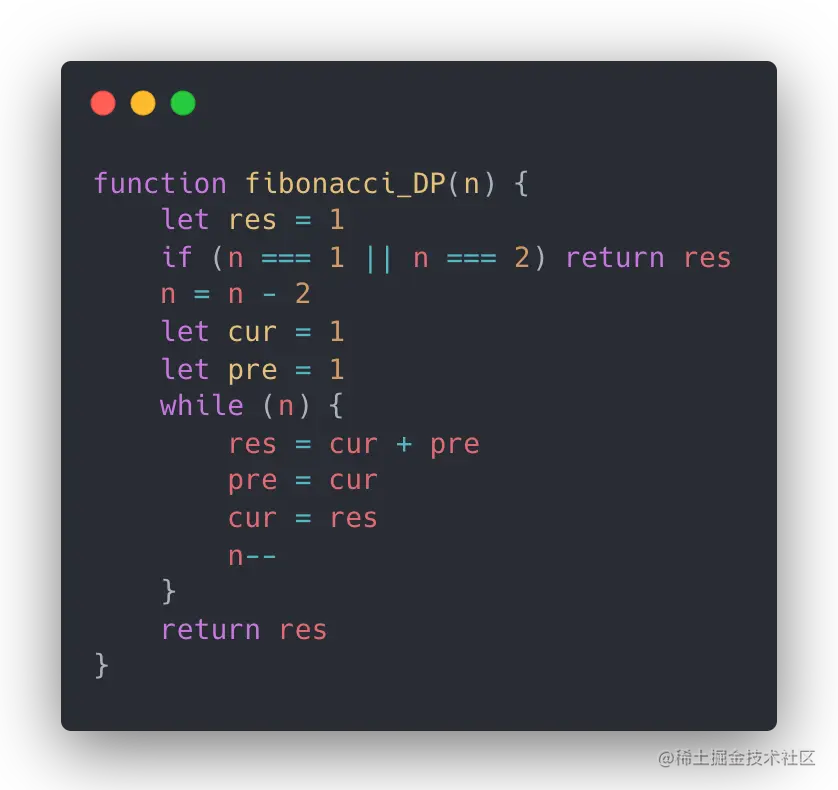
动态规划的迭代写法只保留前两个结果,空间更小:
function fibonacciIterative(n) {
  let previous = 0
  let current = 1

  for (let index = 0; index < n; index += 1) {
    ;[previous, current] = [current, previous + current]
  }

  return previous
}
大整数场景需要考虑 BigInt,因为 Number 超出安全整数范围后可能丢失精度。
14. 实现函数 bind 方法
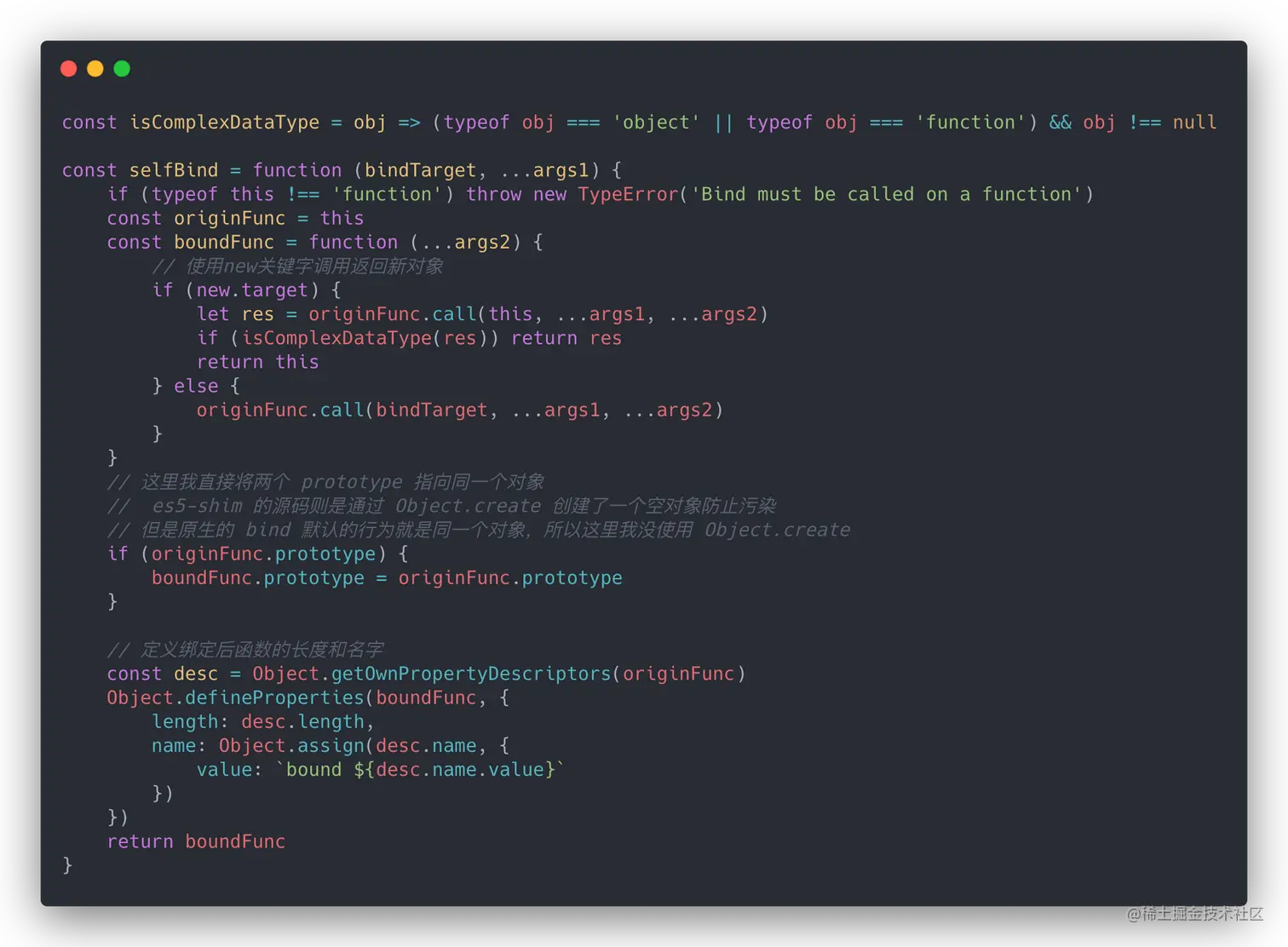
下面是一个普通函数调用场景的教学实现,展示“预置 this 和参数”的思路。原生 bind 的构造行为、new.target、跨 realm、Proxy 和属性元数据不能由这个版本完整模拟:
function bindLike(fn, thisArg, ...boundArgs) {
  if (typeof fn !== 'function') throw new TypeError('fn must be a function')

  return function boundFunction(...laterArgs) {
    return Reflect.apply(fn, thisArg, [...boundArgs, ...laterArgs])
  }
}

const person = { name: 'Alice' }
function greet(greeting) {
  return `${greeting}, ${this.name}`
}

const sayHello = bindLike(greet, person, 'Hello')
console.log(sayHello()) // Hello, Alice
原生 bind 被 new 调用时会忽略绑定的 this,并使用新实例作为 this;如果需要这个行为,应直接使用原生 Function.prototype.bind,不要把上面的函数称为 polyfill。
15. 实现函数 call 方法
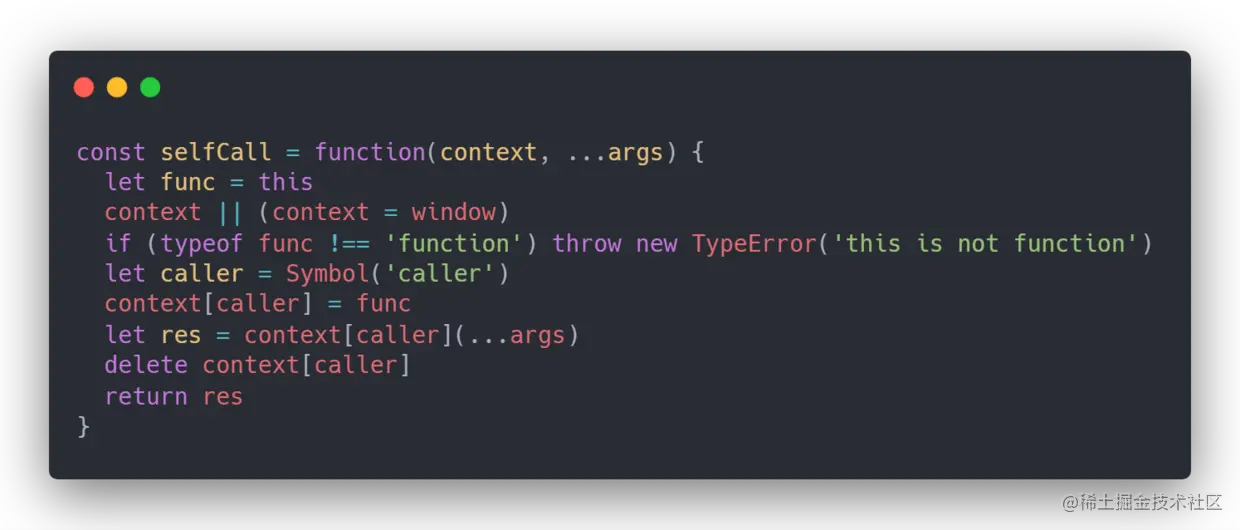
把函数临时放到 receiver 上再调用,是经典的旧式教学思路。用 Symbol 避免属性名冲突,并用 finally 确保清理:
function callLike(fn, thisArg, ...args) {
  if (typeof fn !== 'function') throw new TypeError('fn must be a function')

  const receiver = thisArg == null ? globalThis : Object(thisArg)
  const key = Symbol('temporary call')

  try {
    receiver[key] = fn
    return receiver[key](...args)
  } finally {
    delete receiver[key]
  }
}

console.log(callLike(function (a, b) {
  return this.base + a + b
}, { base: 1 }, 2, 3)) // 6
这不是规范等价实现:严格模式函数对 null/primitive 的 this 处理、不可扩展对象、访问器、Proxy 和临时属性冲突都有差异。真实代码使用 fn.call(...) 或 Reflect.apply(fn, thisArg, args)。
16. 简易的 CO 模块
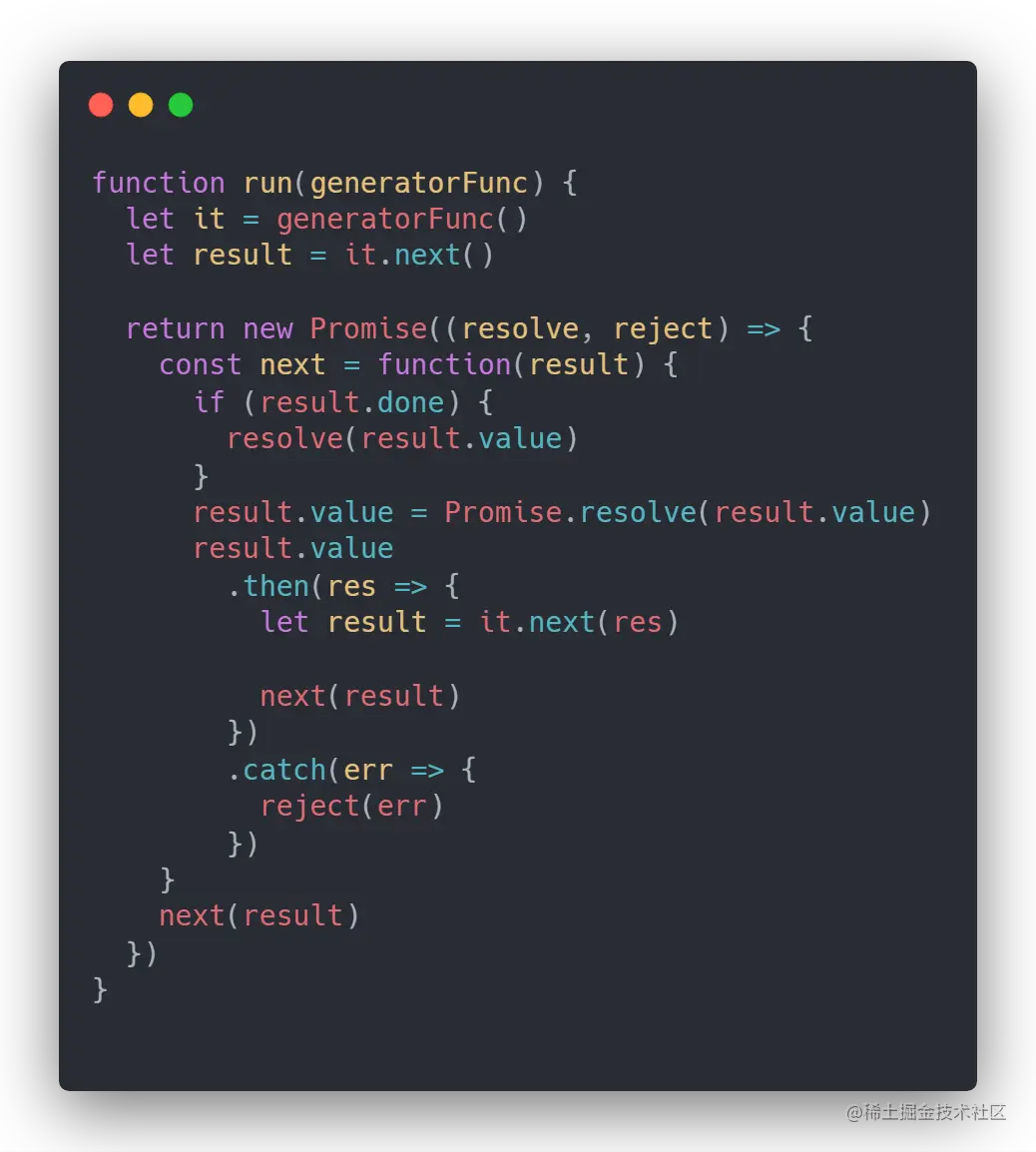
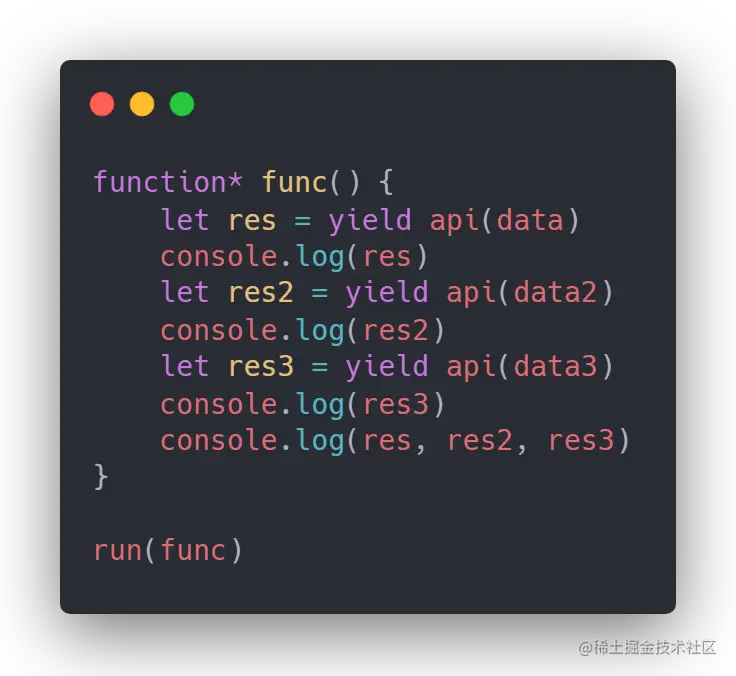
生成器可以暂停在 yield,运行器在 Promise 完成后调用 next。下面是用于理解早期异步控制流的简化实现:
function runGenerator(createGenerator) {
  return new Promise((resolve, reject) => {
    const iterator = createGenerator()

    function step(method, value) {
      let result
      try {
        result = iterator[method](value)
      } catch (error) {
        reject(error)
        return
      }

      if (result.done) {
        resolve(result.value)
        return
      }

      Promise.resolve(result.value).then(
        nextValue => step('next', nextValue),
        error => step('throw', error),
      )
    }

    step('next')
  })
}

runGenerator(function* () {
  const first = yield Promise.resolve(1)
  const second = yield Promise.resolve(first + 1)
  return second + 1
}).then(console.log) // 3
现代代码直接使用 async/await,它能表达同样的顺序等待,但仍然需要用 try...catch 或 .catch() 处理拒绝。
17. 函数防抖
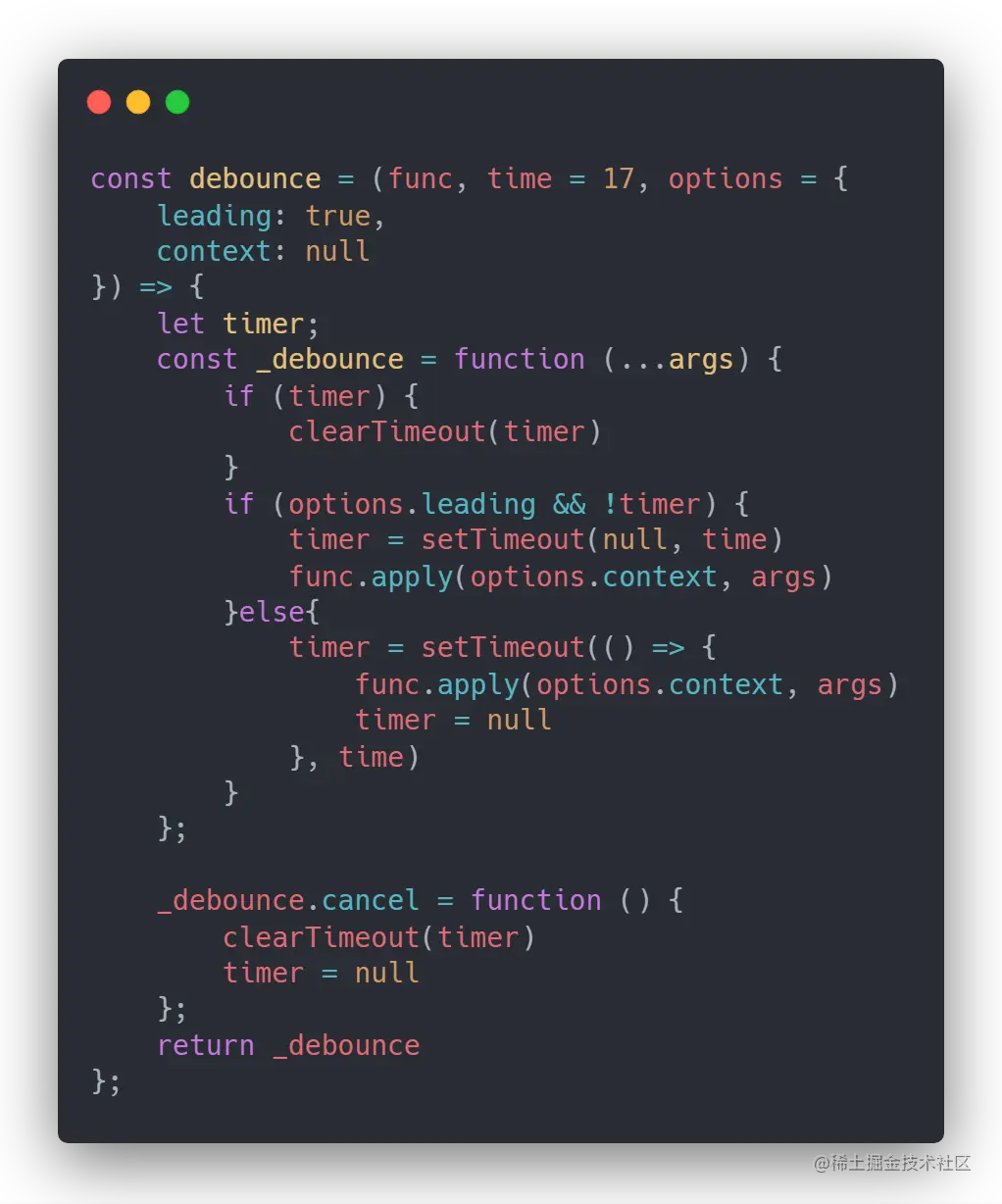
防抖会把连续触发合并为一次。常见的 trailing 模式在停止触发一段时间后执行,leading 模式则在第一次触发时执行;cancel 和 flush 是否支持应在契约中写明:
function debounce(fn, wait, { leading = false, trailing = true } = {}) {
  let timer = null
  let lastArgs
  let lastThis
  let result

  function invoke() {
    result = fn.apply(lastThis, lastArgs)
    lastArgs = undefined
    lastThis = undefined
    return result
  }

  function debounced(...args) {
    const callNow = leading && timer === null
    lastArgs = args
    lastThis = this

    clearTimeout(timer)
    timer = setTimeout(() => {
      timer = null
      if (trailing && lastArgs) invoke()
    }, Math.max(0, wait))

    if (callNow) invoke()
    return result
  }

  debounced.cancel = () => {
    clearTimeout(timer)
    timer = null
    lastArgs = undefined
    lastThis = undefined
  }

  return debounced
}
浏览器后台页面可能限制定时器频率,wait 不是精确的执行时间。
18. 函数节流
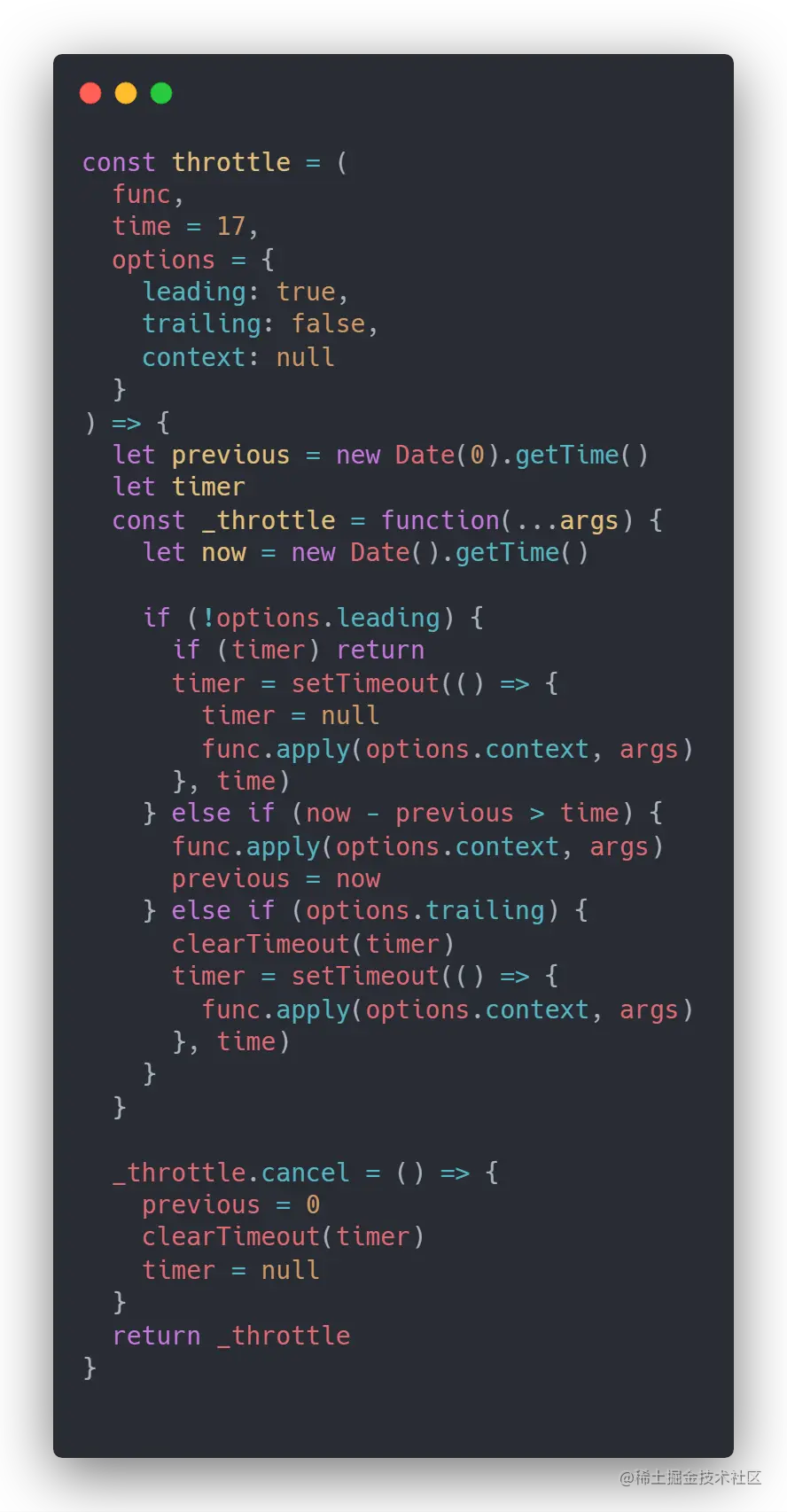
节流限制一段时间内最多执行一次。以下是同时支持 leading/trailing 的教学版本:
function throttle(fn, wait, { leading = true, trailing = true } = {}) {
  let lastTime = 0
  let timer = null
  let lastArgs
  let lastThis

  function invoke(time) {
    lastTime = time
    fn.apply(lastThis, lastArgs)
    lastArgs = undefined
    lastThis = undefined
  }

  function throttled(...args) {
    const now = Date.now()
    if (lastTime === 0 && !leading) lastTime = now

    const remaining = wait - (now - lastTime)
    lastArgs = args
    lastThis = this

    if (remaining <= 0 || remaining > wait) {
      clearTimeout(timer)
      timer = null
      invoke(now)
    } else if (trailing && timer === null) {
      timer = setTimeout(() => {
        timer = null
        if (lastArgs) invoke(Date.now())
      }, remaining)
    }
  }

  throttled.cancel = () => {
    clearTimeout(timer)
    timer = null
    lastTime = 0
    lastArgs = undefined
    lastThis = undefined
  }

  return throttled
}
滚动、指针移动等高频事件中应结合实际工作量调参;节流不是“性能一定更好”的保证。
19. 图片懒加载
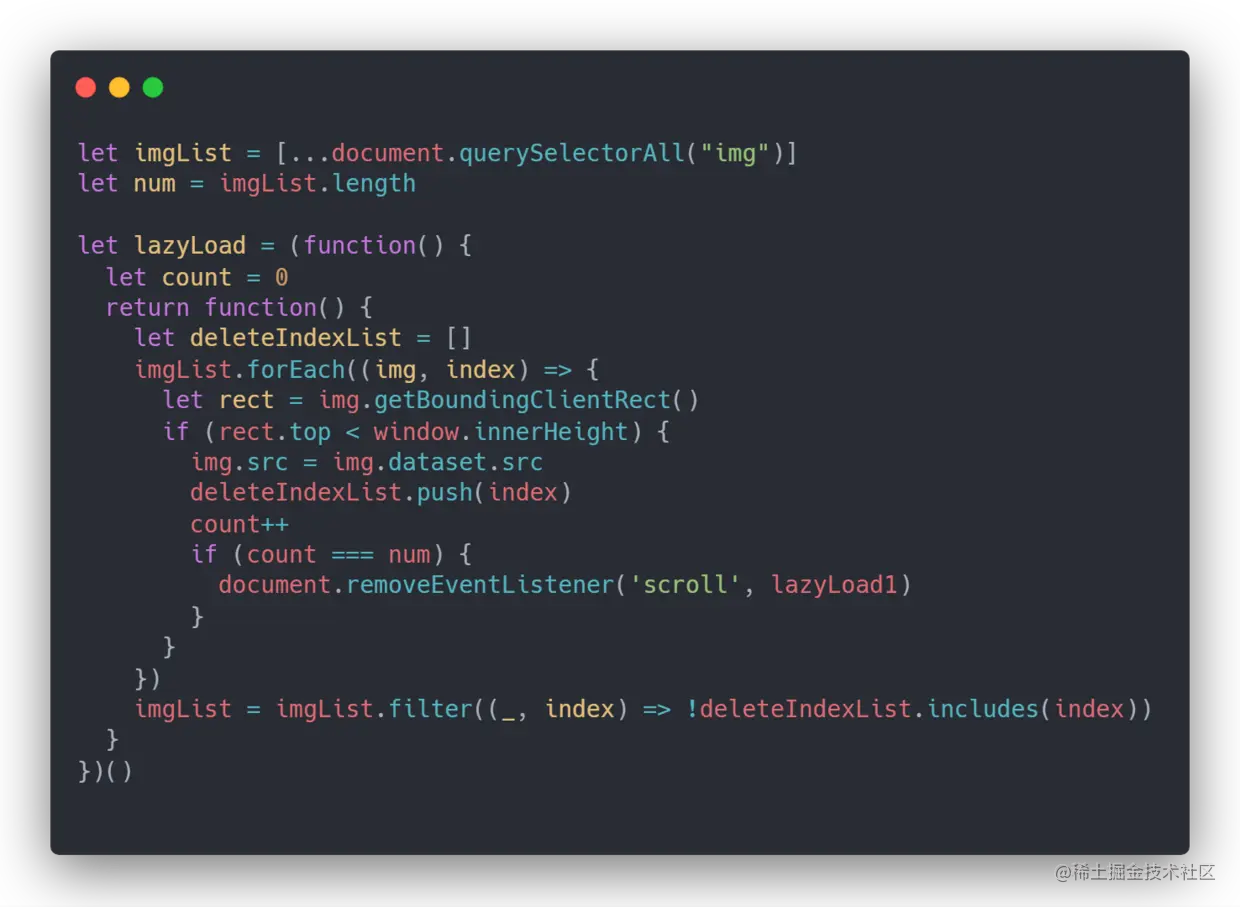
原文使用 getBoundingClientRect 监听 scroll。这个方案需要节流,并且要在全部图片加载后解绑监听器;还要考虑视口变化、页面缩放和图片加载失败。
function loadVisibleImages() {
  const images = document.querySelectorAll('img[data-src]')
  const viewportHeight = window.innerHeight

  for (const image of images) {
    const rect = image.getBoundingClientRect()
    if (rect.top < viewportHeight && rect.bottom > 0) {
      image.src = image.dataset.src
      image.removeAttribute('data-src')
    }
  }
}

window.addEventListener('scroll', throttle(loadVisibleImages, 100), { passive: true })
window.addEventListener('resize', loadVisibleImages)
loadVisibleImages()
现代浏览器可以优先使用原生属性:
<img src="placeholder.jpg" data-src="real-image.jpg" loading="lazy" alt="示例图片">
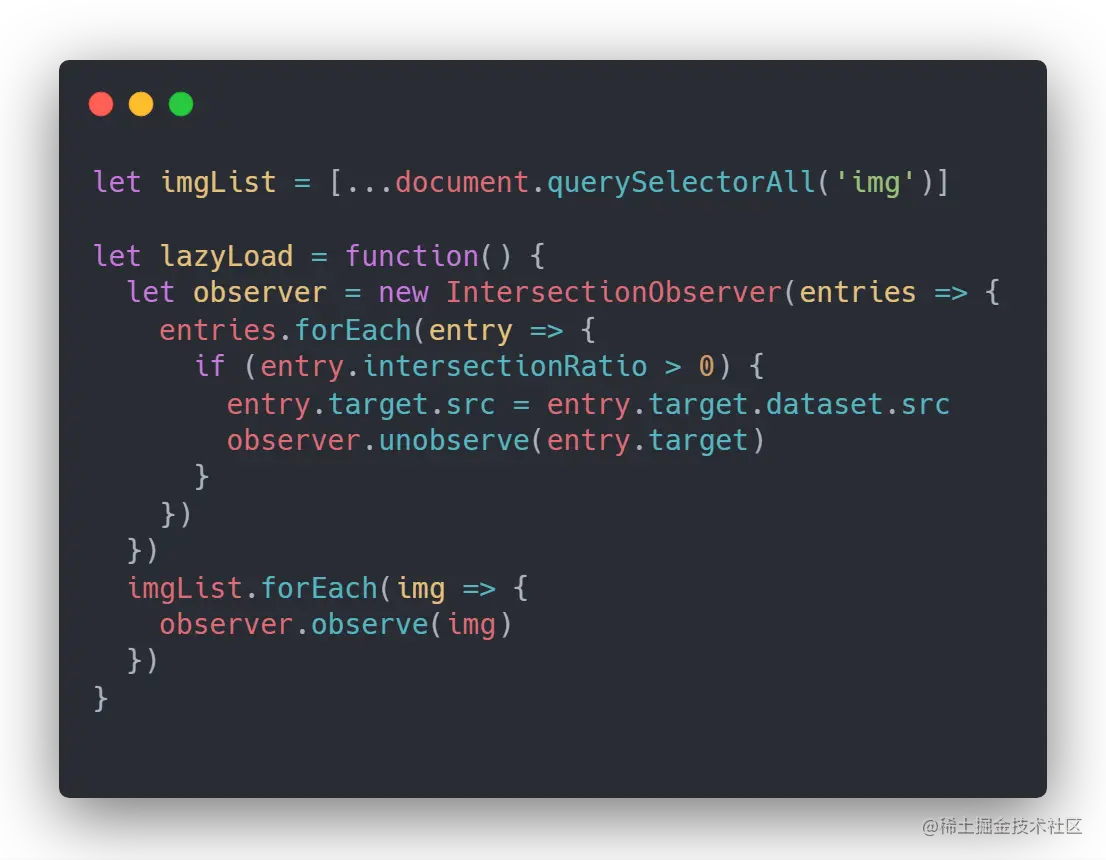
需要更精细控制时使用 IntersectionObserver,它不需要自己计算每次滚动的位置:
const observer = new IntersectionObserver((entries, currentObserver) => {
  for (const entry of entries) {
    if (!entry.isIntersecting) continue

    const image = entry.target
    image.src = image.dataset.src
    image.removeAttribute('data-src')
    currentObserver.unobserve(image)
  }
})

document.querySelectorAll('img[data-src]').forEach(image => observer.observe(image))
20. new 关键字
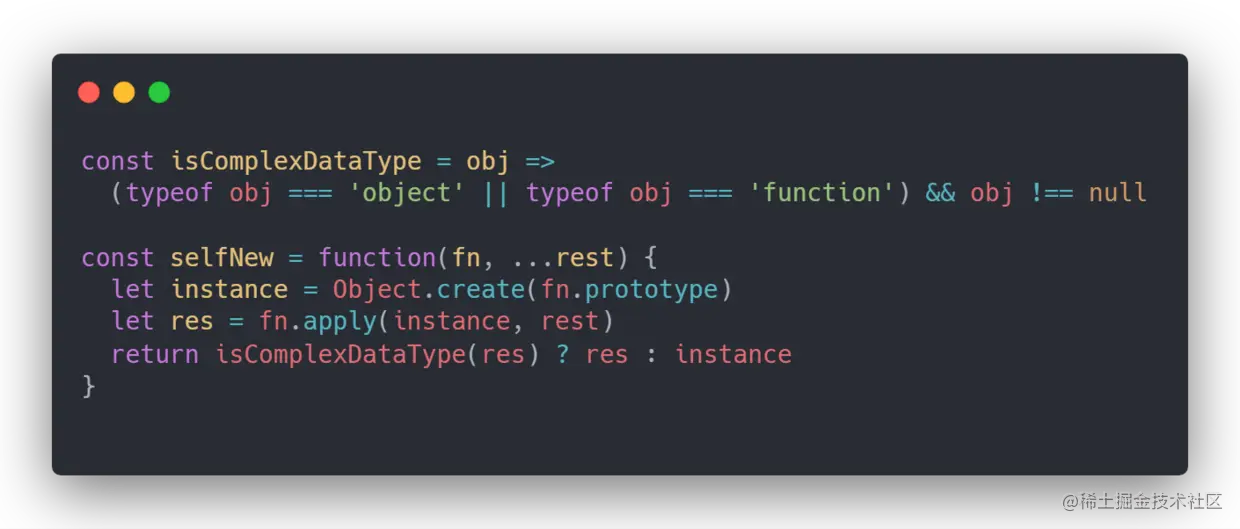
使用 new Constructor(args) 时,可以从教学角度理解为:创建新对象、设置其原型、以新对象为 this 调用构造器,如果构造器返回对象则使用该对象,否则返回新对象。
function Person(name) {
  this.name = name
}

Person.prototype.sayHello = function () {
  return `Hello, ${this.name}`
}

const person = new Person('Alice')
console.log(person.sayHello()) // Hello, Alice
简化手写版本:
function newLike(Constructor, ...args) {
  if (typeof Constructor !== 'function') {
    throw new TypeError('Constructor must be a function')
  }

  const instance = Object.create(Constructor.prototype)
  const result = Reflect.apply(Constructor, instance, args)

  return result !== null && (typeof result === 'object' || typeof result === 'function')
    ? result
    : instance
}
这不能调用 class 构造器,也不能完整模拟代理、派生类和 new.target;真实代码直接使用 new。
21. 实现 Object.assign
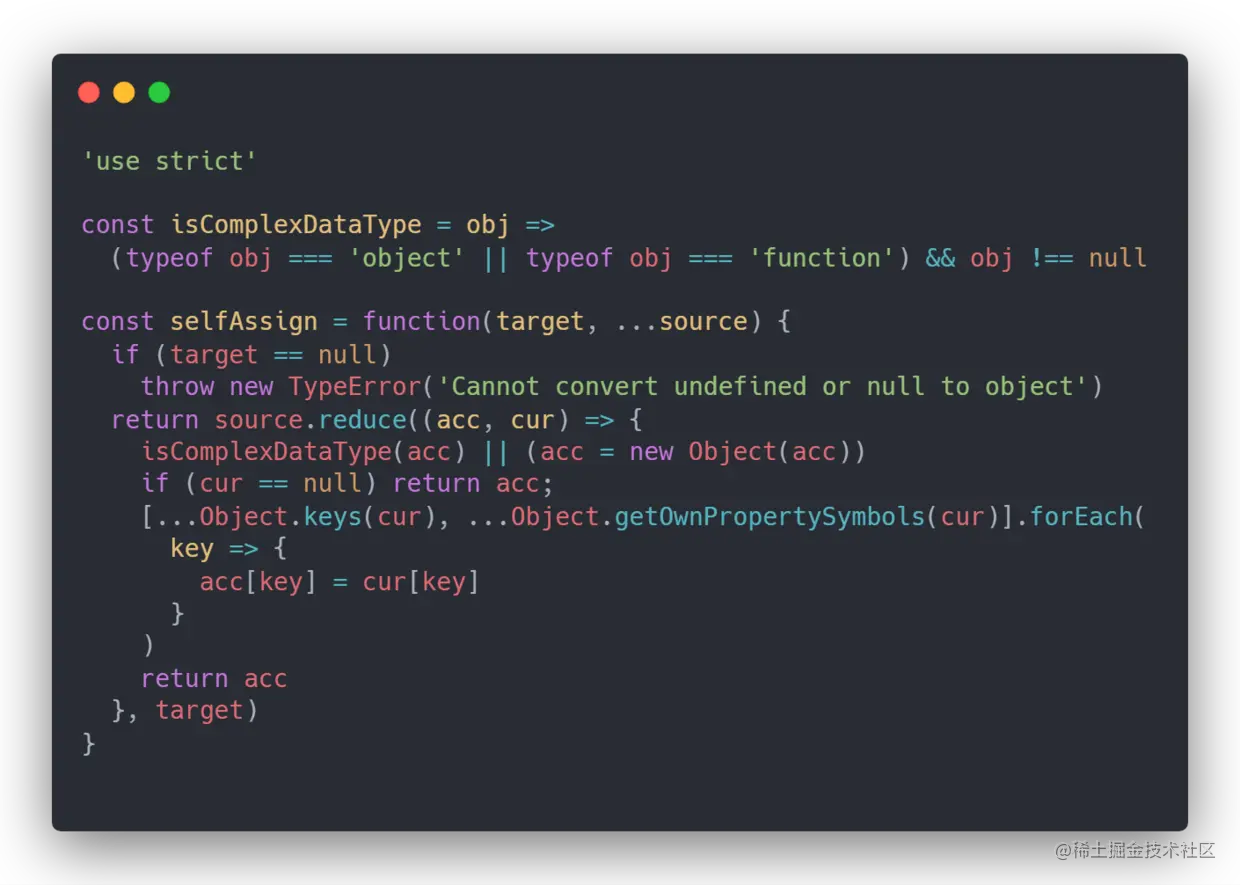
Object.assign 是浅复制:只复制源对象的可枚举自有字符串键和 Symbol 键,读取 getter,写入目标对象的 setter;嵌套对象仍然共享身份。
function assignLike(target, ...sources) {
  if (target == null) throw new TypeError('Cannot convert undefined or null to object')

  const result = Object(target)
  for (const source of sources) {
    if (source == null) continue

    for (const key of Reflect.ownKeys(Object(source))) {
      const descriptor = Object.getOwnPropertyDescriptor(Object(source), key)
      if (descriptor?.enumerable) {
        result[key] = source[key]
      }
    }
  }

  return result
}

const nested = { value: 1 }
const copy = assignLike({}, { nested })
copy.nested.value = 2
console.log(nested.value) // 2:浅复制共享嵌套对象
实际开发优先使用标准 Object.assign 或对象展开;需要深拷贝时根据数据类型选择 structuredClone 或领域专用复制规则。
22. instanceof
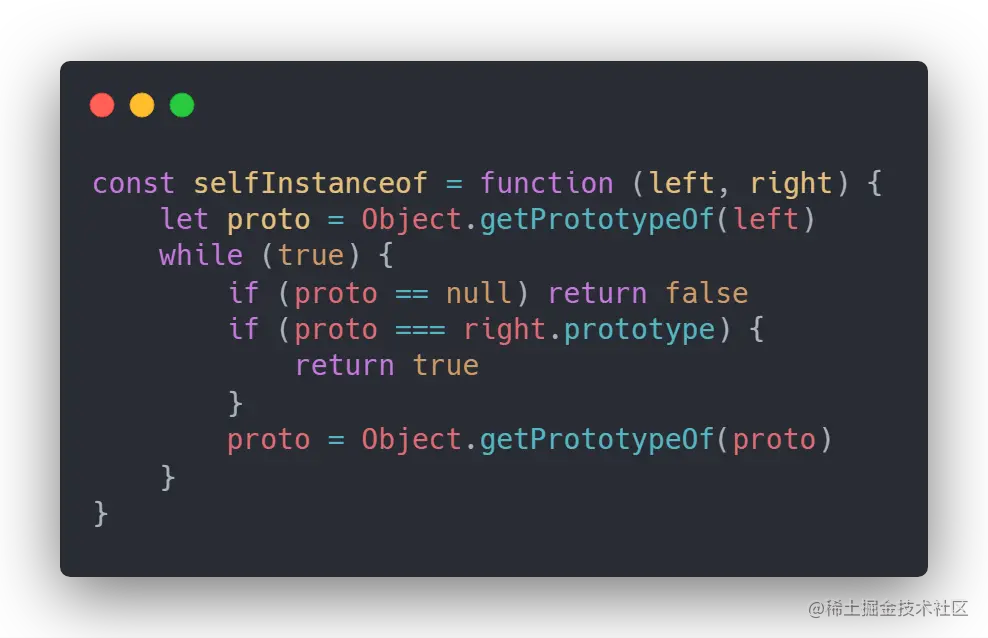
普通情况下,value instanceof Constructor 会检查 Constructor.prototype 是否出现在 value 的原型链中,但右侧构造器可以定义自定义的 Symbol.hasInstance,跨 realm 的内置原型也会不同。
function Person() {}
const person = new Person()

console.log(person instanceof Person) // true
console.log(person instanceof Object) // true
console.log([] instanceof Array) // true
console.log(Array.isArray([])) // 更推荐的数组判断方式
教学版遍历如下:
function instanceOfLike(value, Constructor) {
  if (value === null || (typeof value !== 'object' && typeof value !== 'function')) {
    return false
  }
  if (typeof Constructor !== 'function' || !Constructor.prototype) {
    throw new TypeError('Right-hand side is not callable or has no prototype')
  }

  let prototype = Object.getPrototypeOf(value)
  while (prototype !== null) {
    if (prototype === Constructor.prototype) return true
    prototype = Object.getPrototypeOf(prototype)
  }
  return false
}
它没有模拟 Symbol.hasInstance、Proxy、bound function 和跨 realm 规则,不能称为标准 polyfill。
23. 私有变量的实现
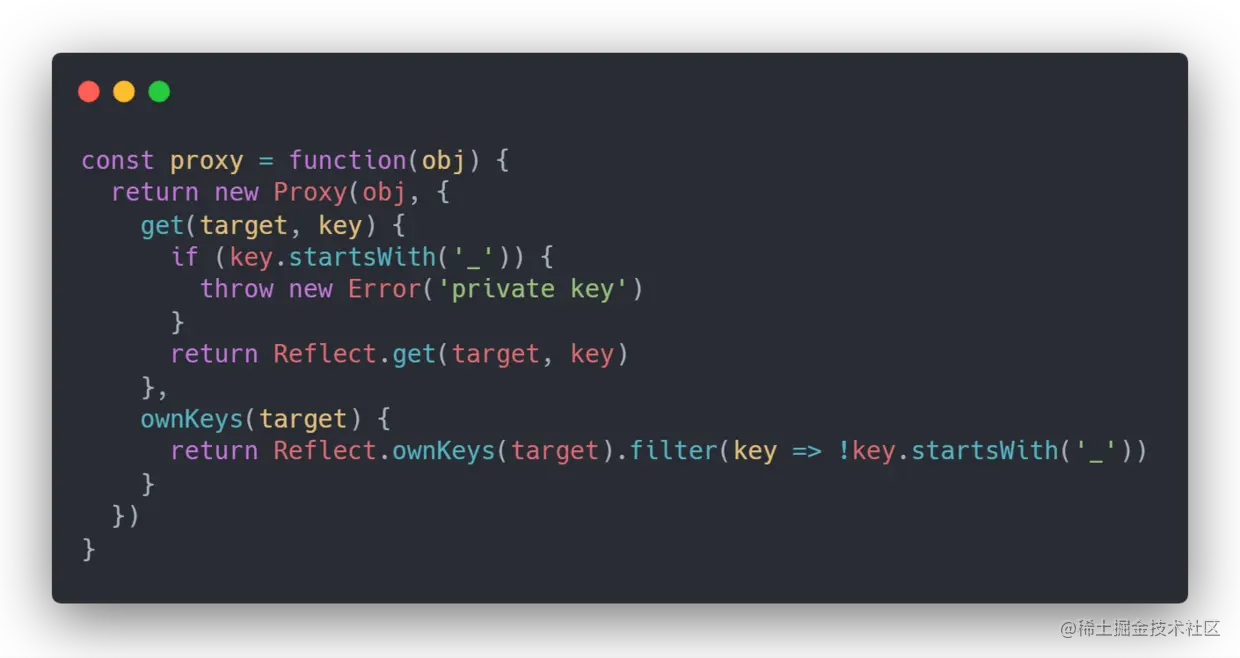
Proxy 可以拦截以 _ 开头的属性访问,但这只是约定式封装,不能提供真正的安全私有性:
function createPrivateProxy(state) {
  return new Proxy(state, {
    get(target, key, receiver) {
      if (typeof key === 'string' && key.startsWith('_')) {
        throw new TypeError('private property')
      }
      return Reflect.get(target, key, receiver)
    },
    set(target, key, value, receiver) {
      if (typeof key === 'string' && key.startsWith('_')) {
        throw new TypeError('private property')
      }
      return Reflect.set(target, key, value, receiver)
    },
  })
}
闭包可以保存私有状态,但每个实例单独创建特权方法时会增加函数数量:
function createCounter() {
  let value = 0
  return {
    increment() { value += 1 },
    getValue() { return value },
  }
}
现代 JavaScript 更推荐 class 私有字段:
class Counter {
  #value = 0

  increment() {
    this.#value += 1
  }

  getValue() {
    return this.#value
  }
}
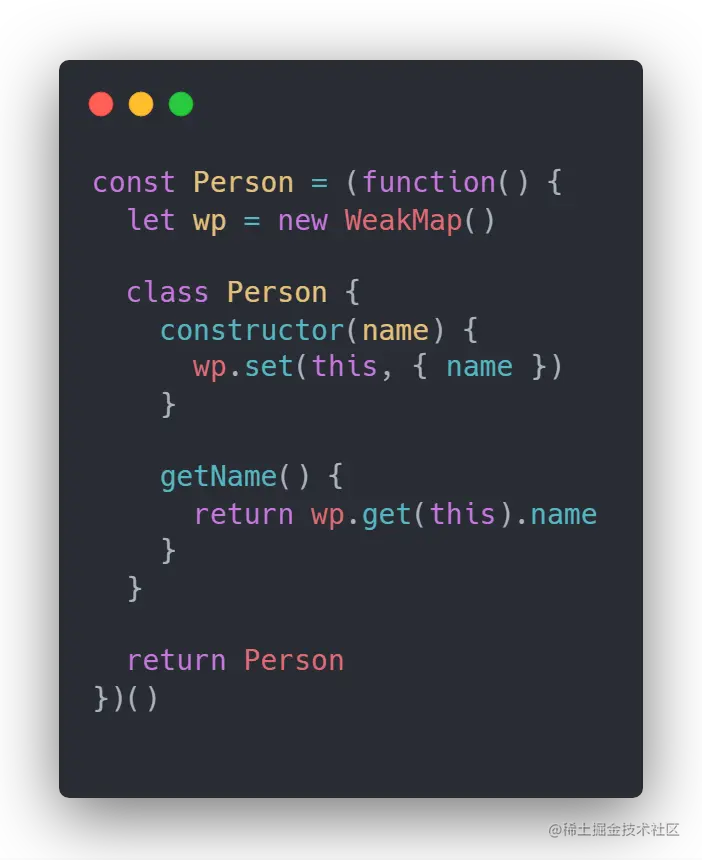
如果需要让多个实例共享原型方法,同时保存每个实例的私有数据,可以使用 WeakMap:
const privateState = new WeakMap()

class WeakCounter {
  constructor() {
    privateState.set(this, { value: 0 })
  }

  increment() {
    privateState.get(this).value += 1
  }

  getValue() {
    return privateState.get(this).value
  }
}
WeakMap 的 key 被其他强引用全部解除后,相关条目才有机会被回收;它不可枚举,也不是任意缓存的替代品。
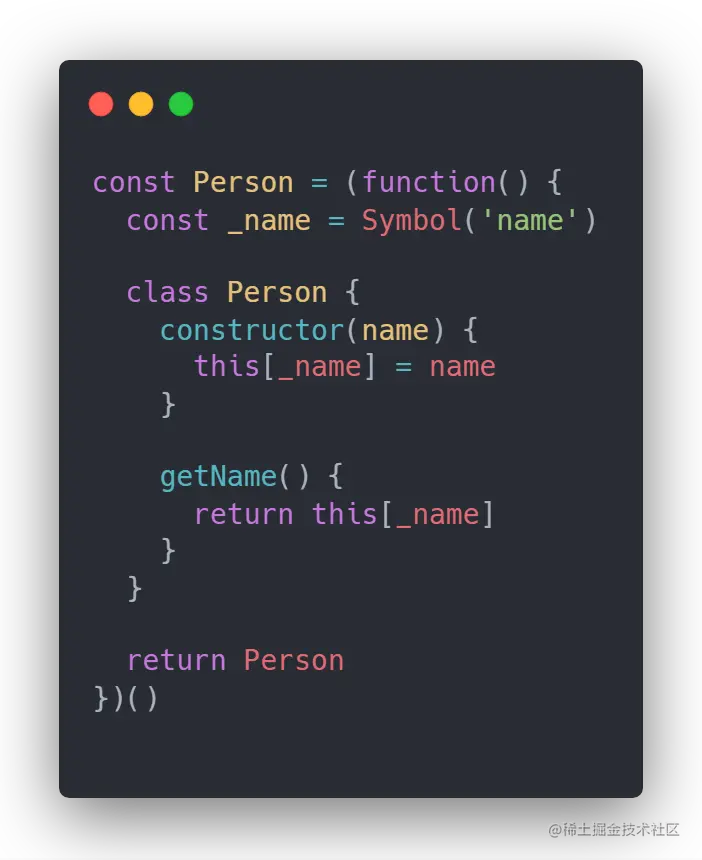
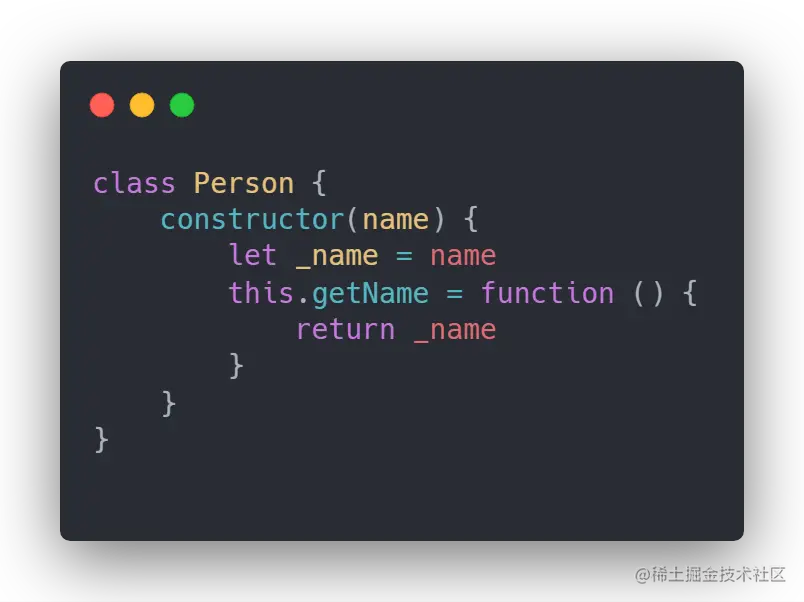
24. 洗牌算法
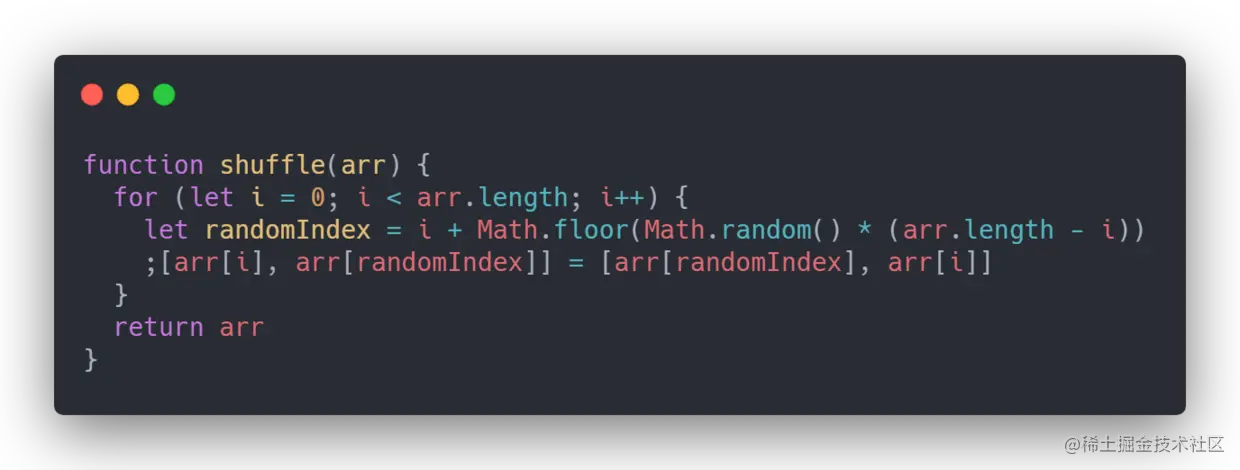
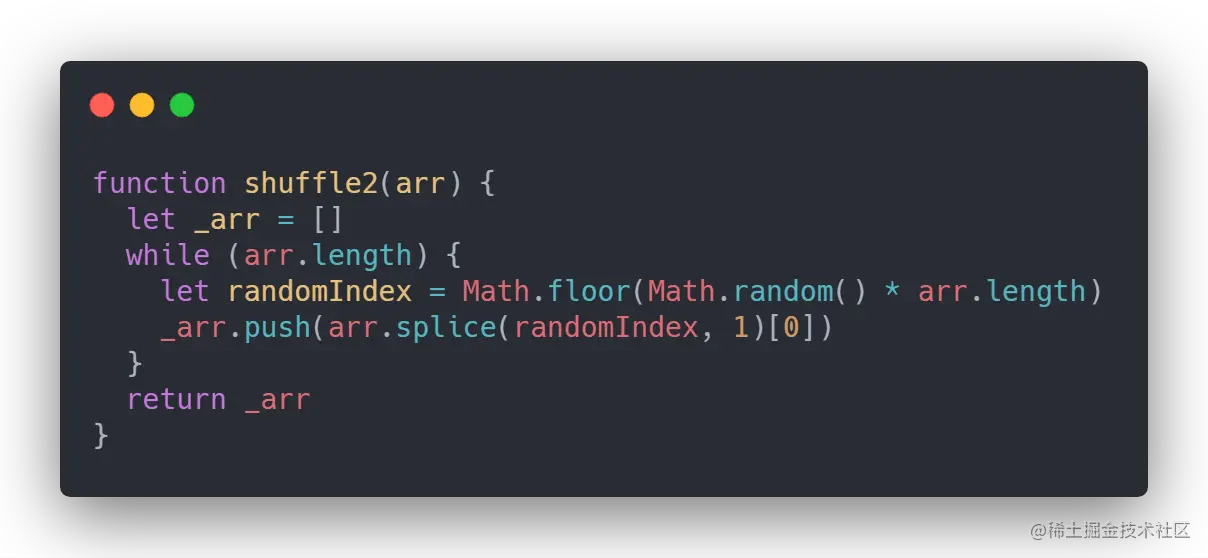
不要使用 array.sort(() => Math.random() - 0.5) 洗牌,它分布不均匀且依赖排序实现。Fisher–Yates 算法从后往前,在 [0, index] 中均匀选择交换位置:
function shuffle(array, random = Math.random) {
  const result = array.slice()

  for (let index = result.length - 1; index > 0; index -= 1) {
    const randomIndex = Math.floor(random() * (index + 1))
    ;[result[index], result[randomIndex]] = [result[randomIndex], result[index]]
  }

  return result
}

console.log(shuffle([1, 2, 3, 4]))
这提供的是伪随机洗牌;抽奖、令牌和安全场景应使用合适的密码学随机源,例如 Web Crypto API,而不是 Math.random()。原地版本节省数组空间,但会修改输入,应明确说明。
25. 单例模式
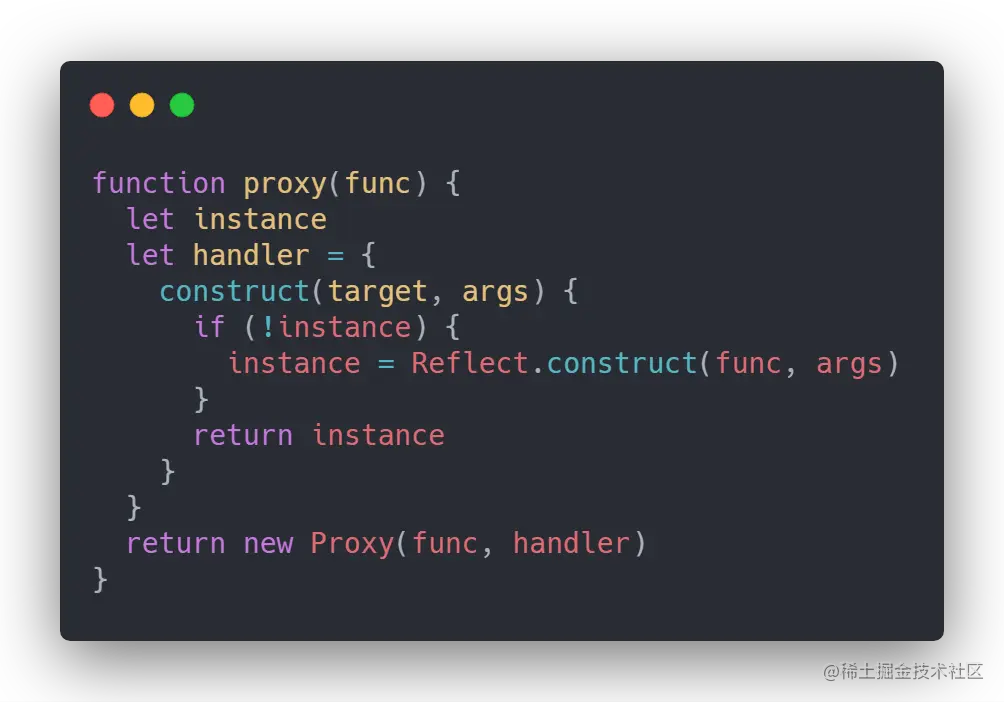
原文用 Proxy 拦截构造函数实现单例。实际项目中,ES 模块本身通常只执行一次,模块级对象就是更简单的单例;如果确实要约束 new,可以这样演示:
function createSingleton(Constructor) {
  let instance

  return new Proxy(Constructor, {
    construct(target, args, newTarget) {
      if (!instance) {
        instance = Reflect.construct(target, args, newTarget)
      }
      return instance
    },
  })
}

class Settings {
  constructor() {
    this.createdAt = Date.now()
  }
}

const SingletonSettings = createSingleton(Settings)
console.log(new SingletonSettings() === new SingletonSettings()) // true
单例会增加全局状态和测试隔离成本,不应因为“设计模式”而默认使用。
26. promisify
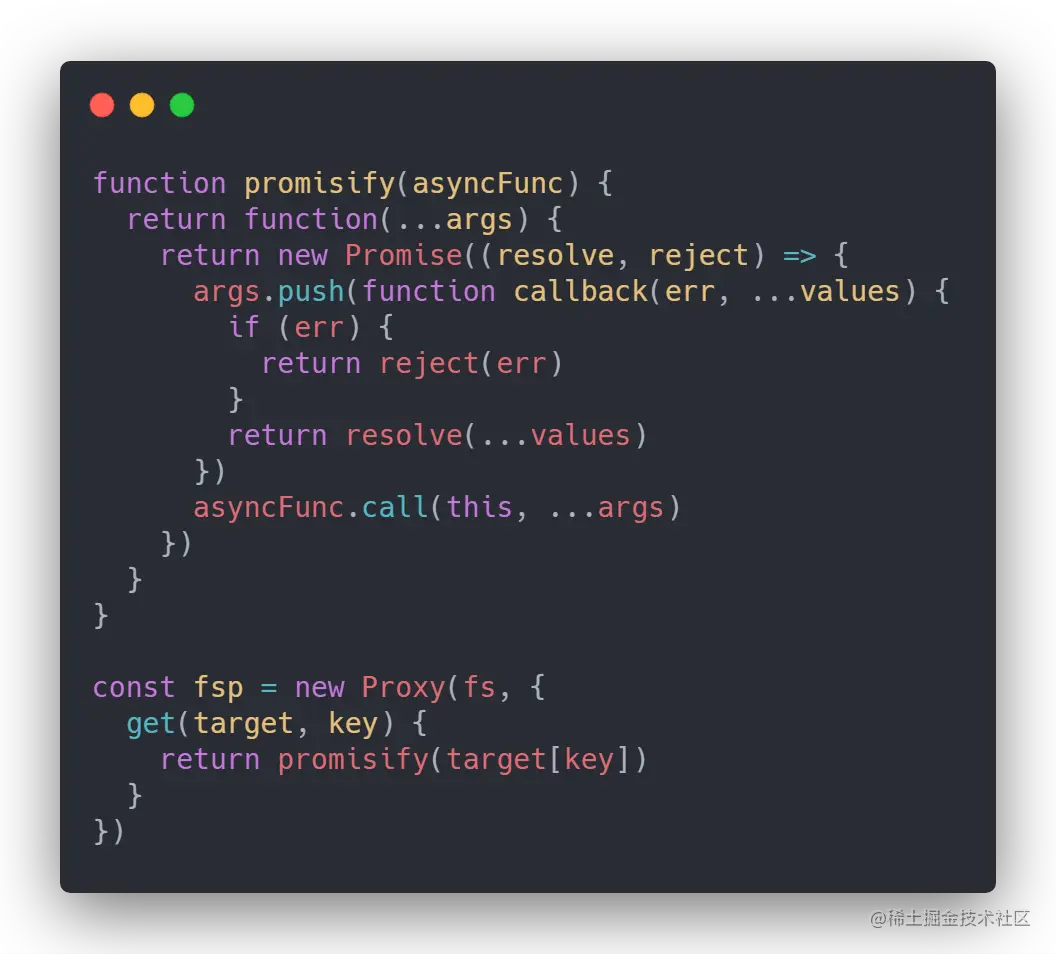
promisify 适合 Node.js 的 error-first callback(第一个参数是 error)风格,不适合任意回调 API:
function promisify(fn, thisArg) {
  return (...args) => new Promise((resolve, reject) => {
    fn.call(thisArg, ...args, (error, value) => {
      if (error) {
        reject(error)
      } else {
        resolve(value)
      }
    })
  })
}

const fs = require('node:fs')
const readFile = promisify(fs.readFile, fs)
readFile('package.json', 'utf8').then(console.log).catch(console.error)
现代 Node.js 已提供 node:util 的 promisify,并且许多 API 直接提供 Promise 版本;还要注意回调可能同步抛错、多结果参数和取消语义。
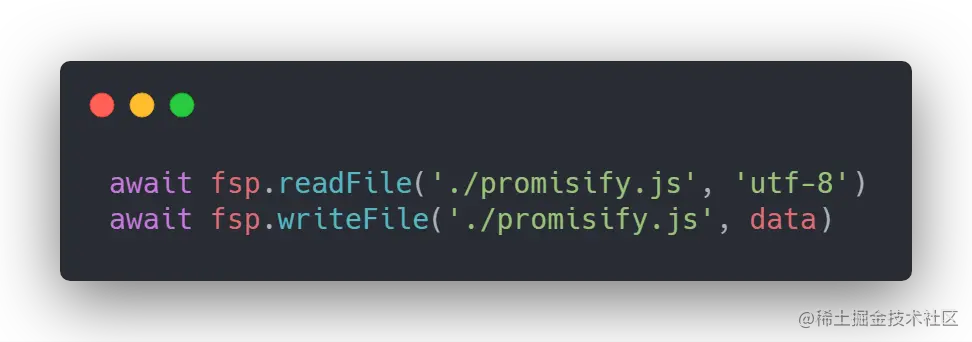
27. 更优雅地处理 async/await
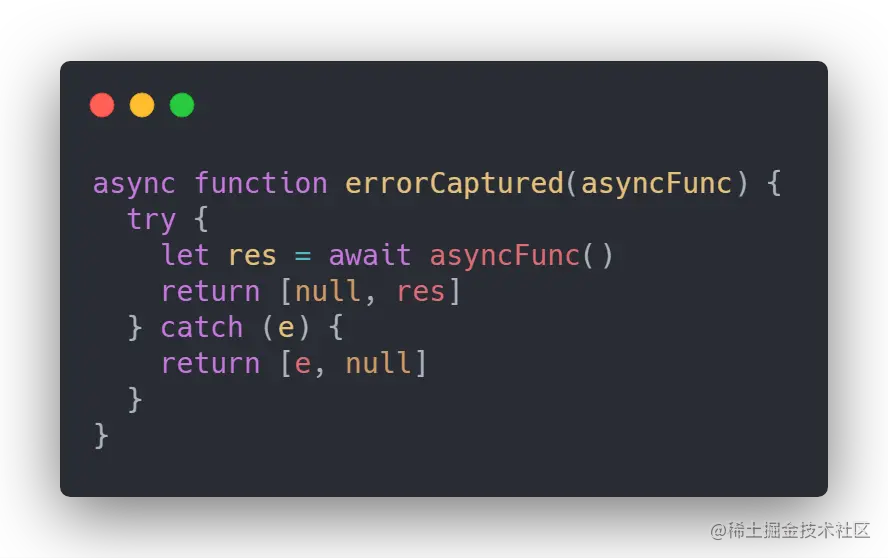
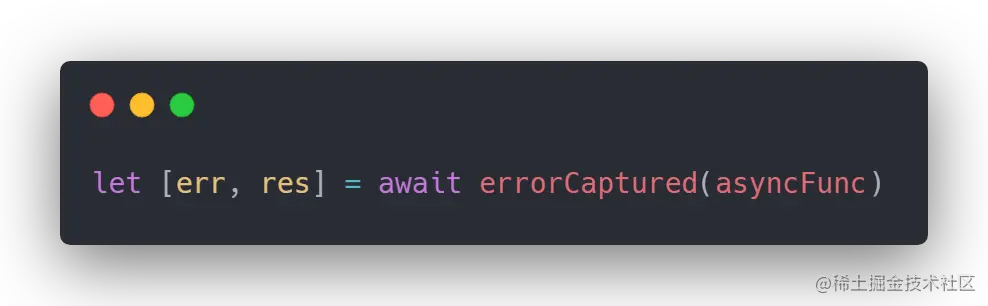
原文建议用辅助函数或 Webpack loader 自动注入 try/catch。自动注入错误处理可能隐藏异常边界,生产代码更应在业务边界明确捕获并记录错误。对于简单请求,可以使用返回二元组的辅助函数:
async function to(promise) {
  try {
    return [null, await promise]
  } catch (error) {
    return [error, undefined]
  }
}

async function loadUser() {
  const [error, user] = await to(fetch('/api/user').then(response => {
    if (!response.ok) throw new Error(`HTTP ${response.status}`)
    return response.json()
  }))

  if (error) {
    console.error(error)
    return null
  }

  return user
}
不要为了避免每一个 try/catch 而把所有异常转换成普通返回值;需要事务回滚、错误边界或统一上报时,直接使用 try...catch...finally 更清晰。
28. 发布订阅 EventEmitter
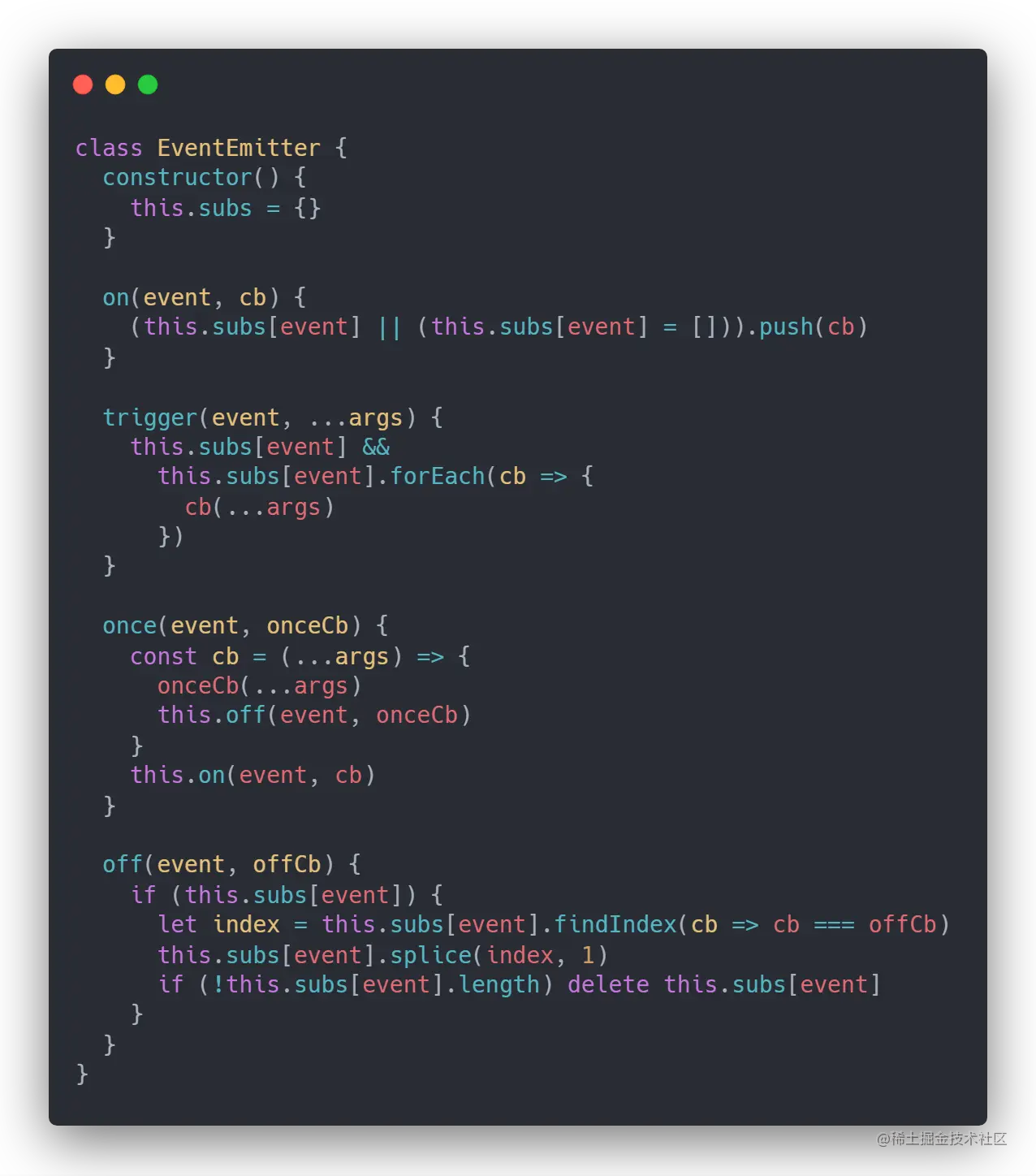
发布订阅通过 on 注册、emit 触发、off 注销、once 单次订阅来解耦模块。下面是一个只用于学习的简化实现:
class SimpleEmitter {
  #events = new Map()

  on(type, listener) {
    if (typeof listener !== 'function') throw new TypeError('listener must be a function')
    const listeners = this.#events.get(type) ?? new Set()
    listeners.add(listener)
    this.#events.set(type, listeners)
    return () => this.off(type, listener)
  }

  off(type, listener) {
    const listeners = this.#events.get(type)
    if (!listeners) return
    listeners.delete(listener)
    if (listeners.size === 0) this.#events.delete(type)
  }

  once(type, listener) {
    const remove = this.on(type, (...args) => {
      remove()
      listener(...args)
    })
    return remove
  }

  emit(type, ...args) {
    const listeners = this.#events.get(type)
    if (!listeners) return false
    for (const listener of [...listeners]) listener(...args)
    return true
  }
}

const emitter = new SimpleEmitter()
const remove = emitter.on('ready', value => console.log(value))
emitter.once('ready', () => console.log('once'))
emitter.emit('ready', 'done')
remove()
Node.js 的 EventEmitter 还定义了 error 事件、监听器顺序、最大监听器警告和异步错误边界;业务中优先使用成熟实现,并在组件销毁时注销监听器。
29. JSON.stringify 的常见陷阱(附加)
原文标题写“28 个技巧”,正文又增加了第 29 节,因此这里保留为附加内容。
JSON.stringify 不是通用深拷贝:
- 对象属性中的
undefined、函数和 Symbol 通常被省略; - 数组中的这些值通常变成
null; NaN、Infinity和-Infinity序列化为null;Date会先经过toJSON,通常变成 ISO 字符串;BigInt默认会抛出TypeError;- 循环引用会抛出
TypeError; - Map、Set、自定义原型、属性描述符和非枚举属性不会按通用对象语义保留;
- 自定义
toJSON和 getter 可能产生副作用。
const value = {
  missing: undefined,
  fn() {},
  nan: NaN,
  infinity: Infinity,
  date: new Date('2024-01-01T00:00:00Z'),
}

console.log(JSON.stringify(value))
// {"nan":null,"infinity":null,"date":"2024-01-01T00:00:00.000Z"}

const cyclic = {}
cyclic.self = cyclic
// JSON.stringify(cyclic) // TypeError: Converting circular structure to JSON
JSON 适合传输 JSON 数据,不适合替代 structuredClone。需要复制可结构化克隆的对象时,优先考虑 structuredClone(value),并处理函数、DOM 节点等不可克隆值。